
Pixcraft vs Stripo: Which Email Builder to Choose
We continue our series of articles comparing Pixcraft with other solutions on the market. Previously, we already compared our email builder with Beefree, Letteros, and TOPOL. Now, it is time to take a look at Stripo, one of the most popular email builders.
What are the differences between Pixcraft and Stripo? And how do they manifest in practice? Read this article to find out.
Availability in the Russian Market
Before we move on to the capabilities of email builders, it is necessary to mention the regional restrictions of Stripo. Officially, the service does not work with Russian businesses and individual users:
- payments from Russian bank cards, as well as through payment systems if the billing address is in Russia, are not accepted;
- invoices are not issued through financial institutions and payment systems that are residents of Russia or operate within its territory;
- claims and complaints from Russian users are not processed.
For these reasons, full use of Stripo in Russia becomes impossible.
In turn, Pixcraft is a product developed in Russia and included in the country’s Register of Domestic Software. It is created for both Russian and international users:
- the email template builder is suitable for businesses, agencies, and freelancers;
- for corporate clients, Pixcraft offers pricing plans with advanced features, as well as On-Premises deployment.
Basic Template Editing Capabilities
At their core, both Pixcraft and Stripo are flexible builders for creating email campaigns with different levels of complexity:
- both email builders operate according to the drag-and-drop principle: components can be moved freely inside the template and adapted for a specific campaign;
- properties can be configured for individual components and their groups (for example, blocks, stripes, or columns);
- email templates can be created from scratch, with the help of ready-made templates from the gallery, or by using predesigned components: Pixcraft provides Assets, while Stripo offers Structures and Modules.
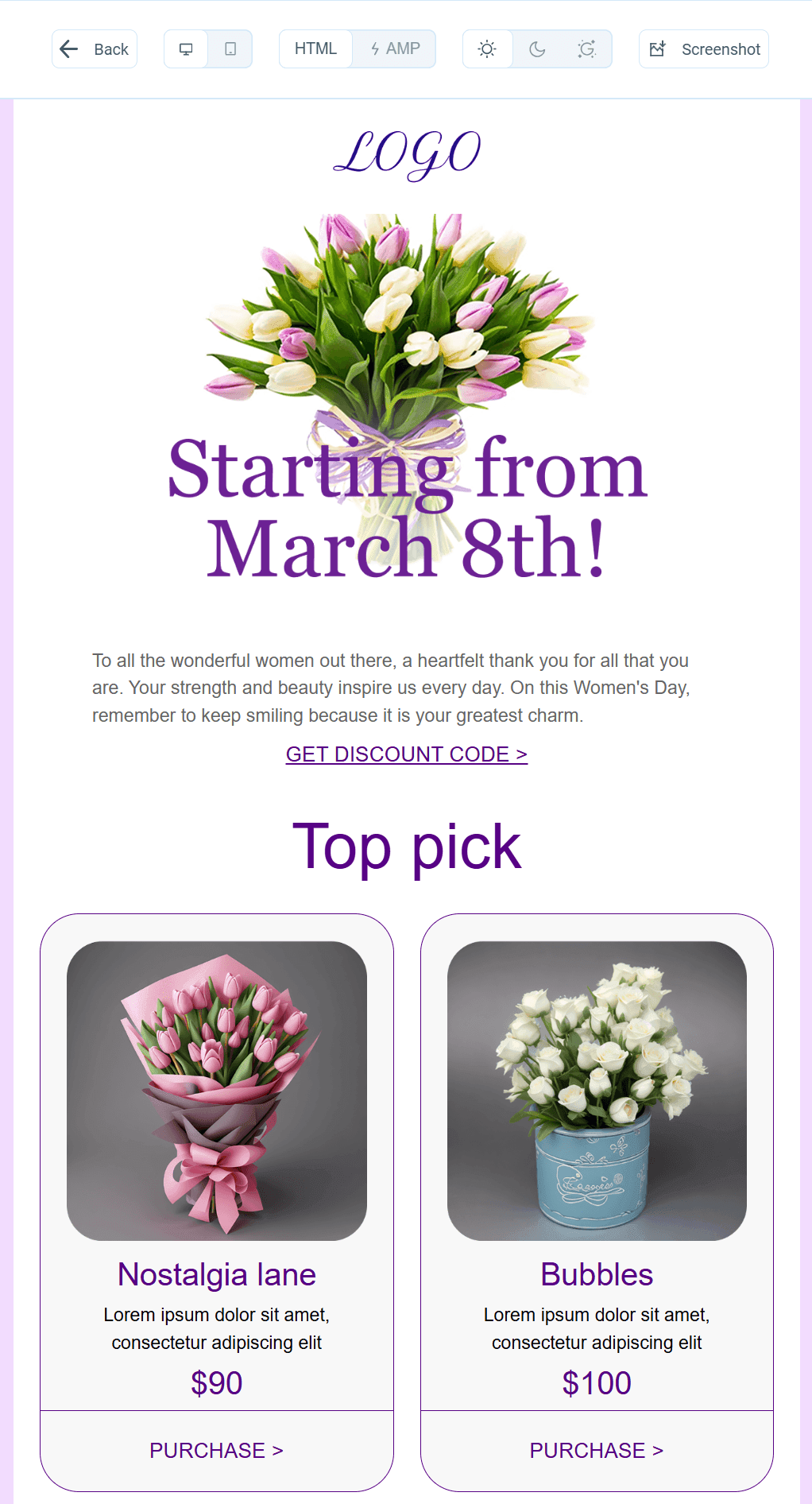
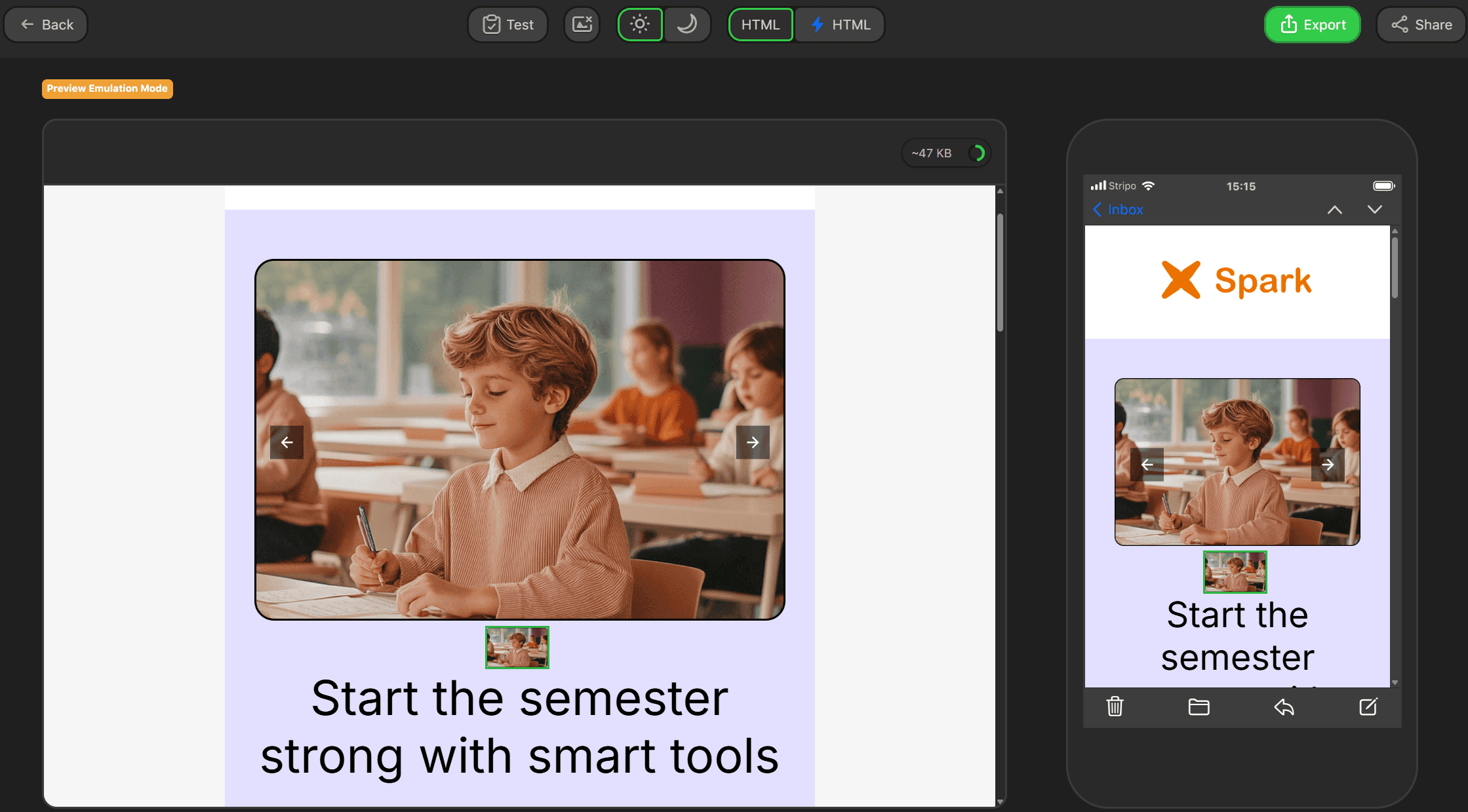
Preview mode in both Pixcraft and Stripo allows users to evaluate desktop and mobile versions of the email in both light and dark themes. At the same time:
- In addition to the standard dark mode, Pixcraft allows you to view emails in Gmail's dark theme on iOS, which has its own color inversion rules. The mobile version can also be checked more precisely by adjusting the screen width.
- Stripo includes the option to edit the mobile version of the template directly (although these changes also affect the desktop version). Additionally, you can send a test email to your own email address.
AMP Capabilities
Interactive AMP components are a full-fledged part of the Pixcraft builder. In particular, these components are available directly in the builder interface:
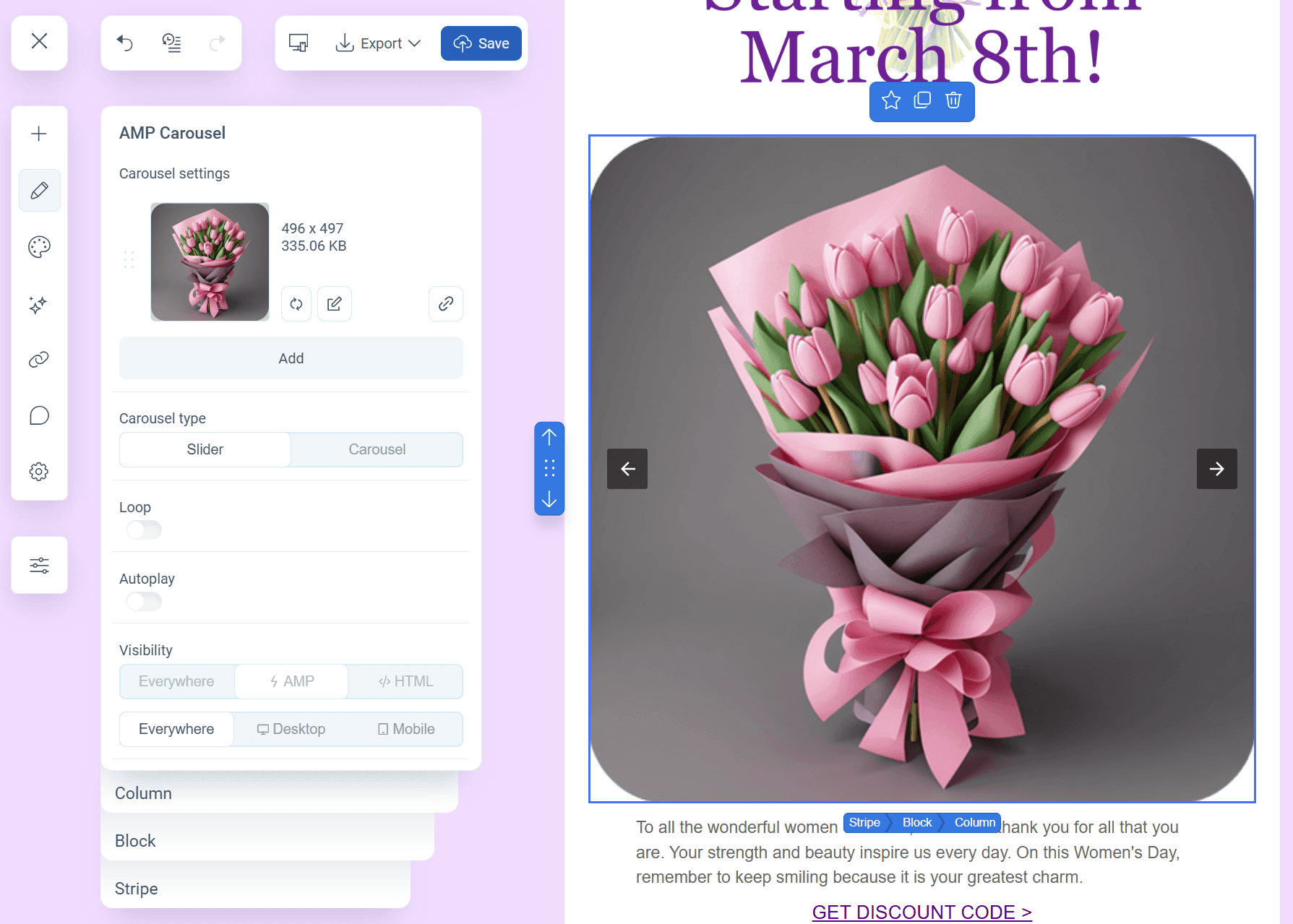
- Carousel for creating image galleries with the ability to scroll through images and loop the scrolling.
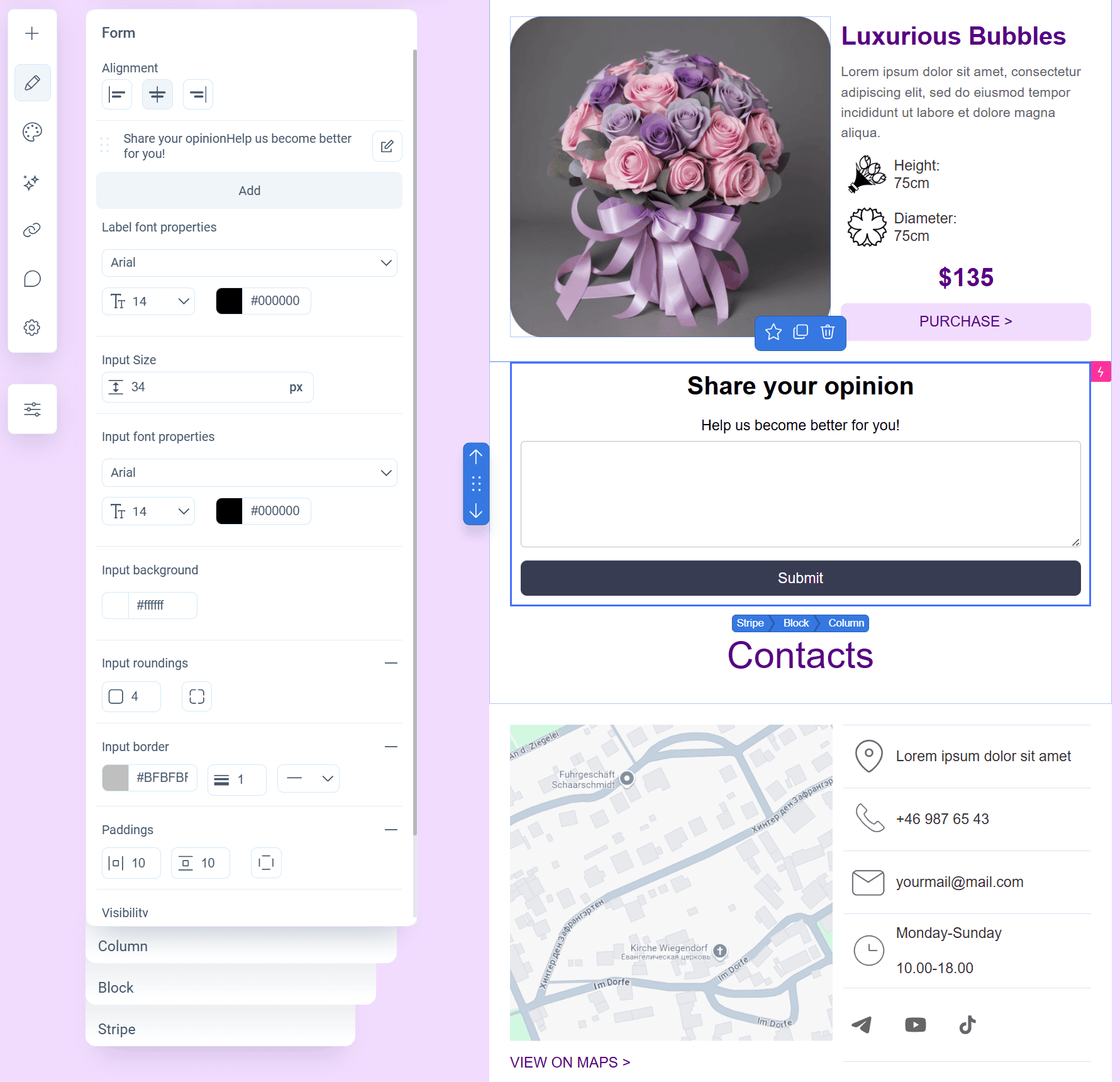
- Forms for surveying the recipients and collecting feedback. There is no need to configure data collection and storage separately: responses are automatically gathered and stored in Pixcraft. When necessary, webhooks can also be connected to transfer form data to external services such as a Telegram bot or a CRM system.
But Pixcraft’s AMP capabilities are not limited to these two components alone. The email builder includes additional components that can be configured separately and then connected to emails:
- Amp-Form to create advanced survey forms;
- the interactive AMP-Link for sign-up or subscription confirmation without closing the email;
- Interactive Stream to turn the email into a mini forum by adding a comment section;
- the Amp-List component for updating the email content in real time.
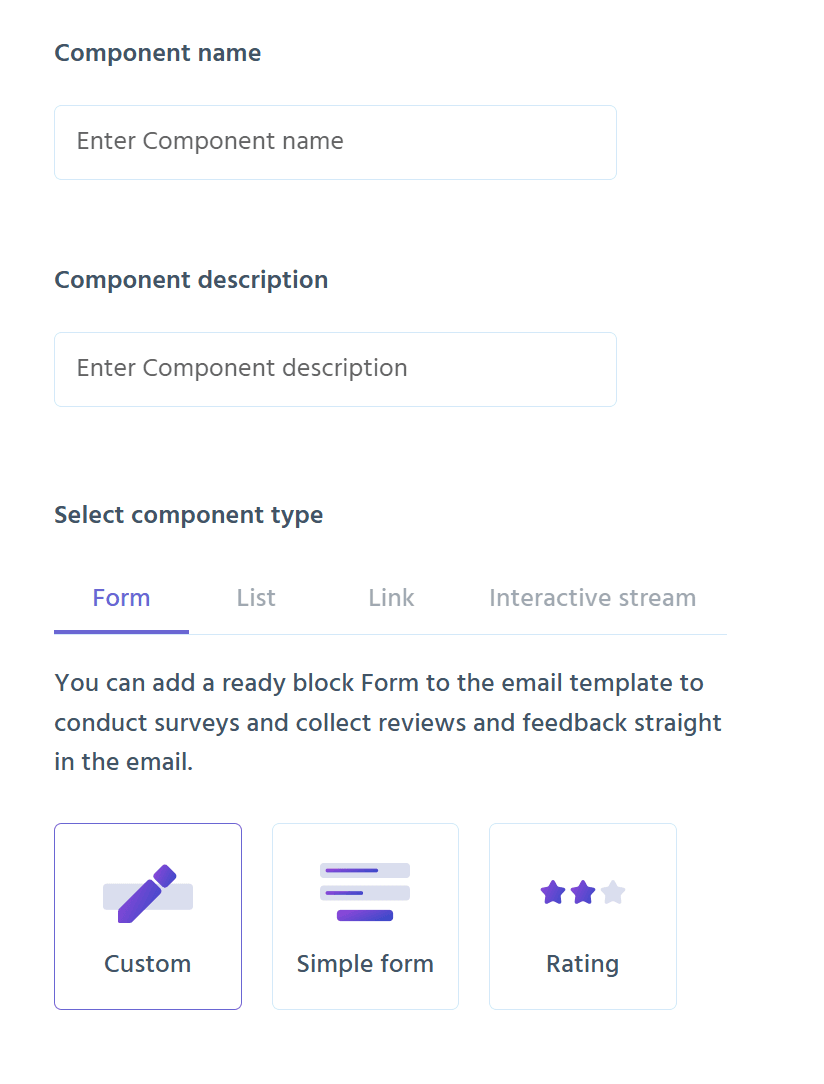
Stripo also supports AMP functionality. While working on a template, you can add Carousel, Form, or Accordion (blocks with text, images, or buttons that can be expanded by clicking) to your email.
However, the creation of additional components is not supported by the built-in functionality: these need to be created manually using code.
Bulk Editing of Elements
Imagine a situation: you are working on an email template that contains numerous links. These need to be checked and, if necessary, replaced. But manual checking takes a lot of time and is inconvenient since it is easy to miss something.
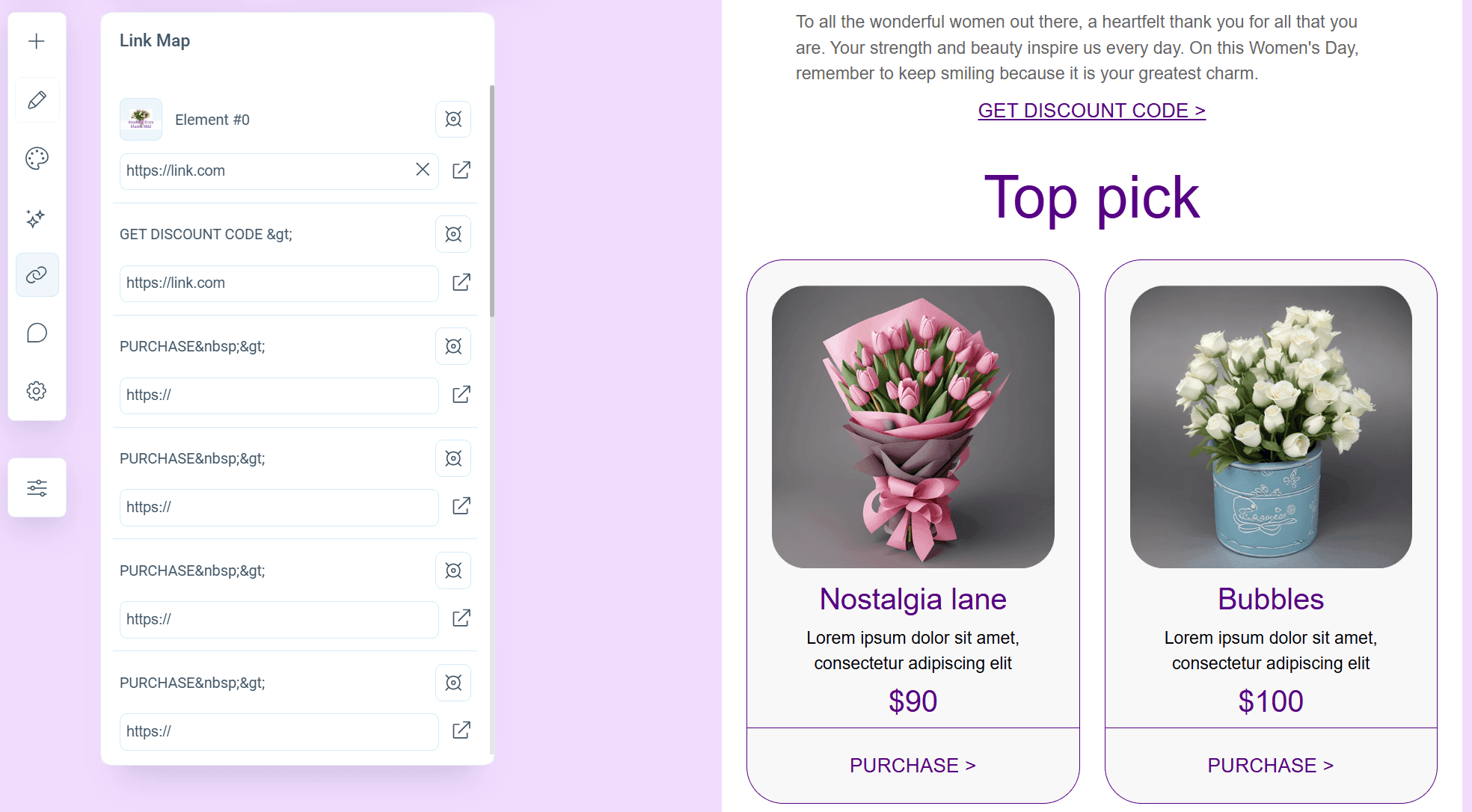
For such cases, Pixcraft includes the Link Map: here, you can find all email components that contain links (buttons, text fragments, or images), conveniently check and edit them. And if you need to find the component inside the email, this can be done using the target icon.
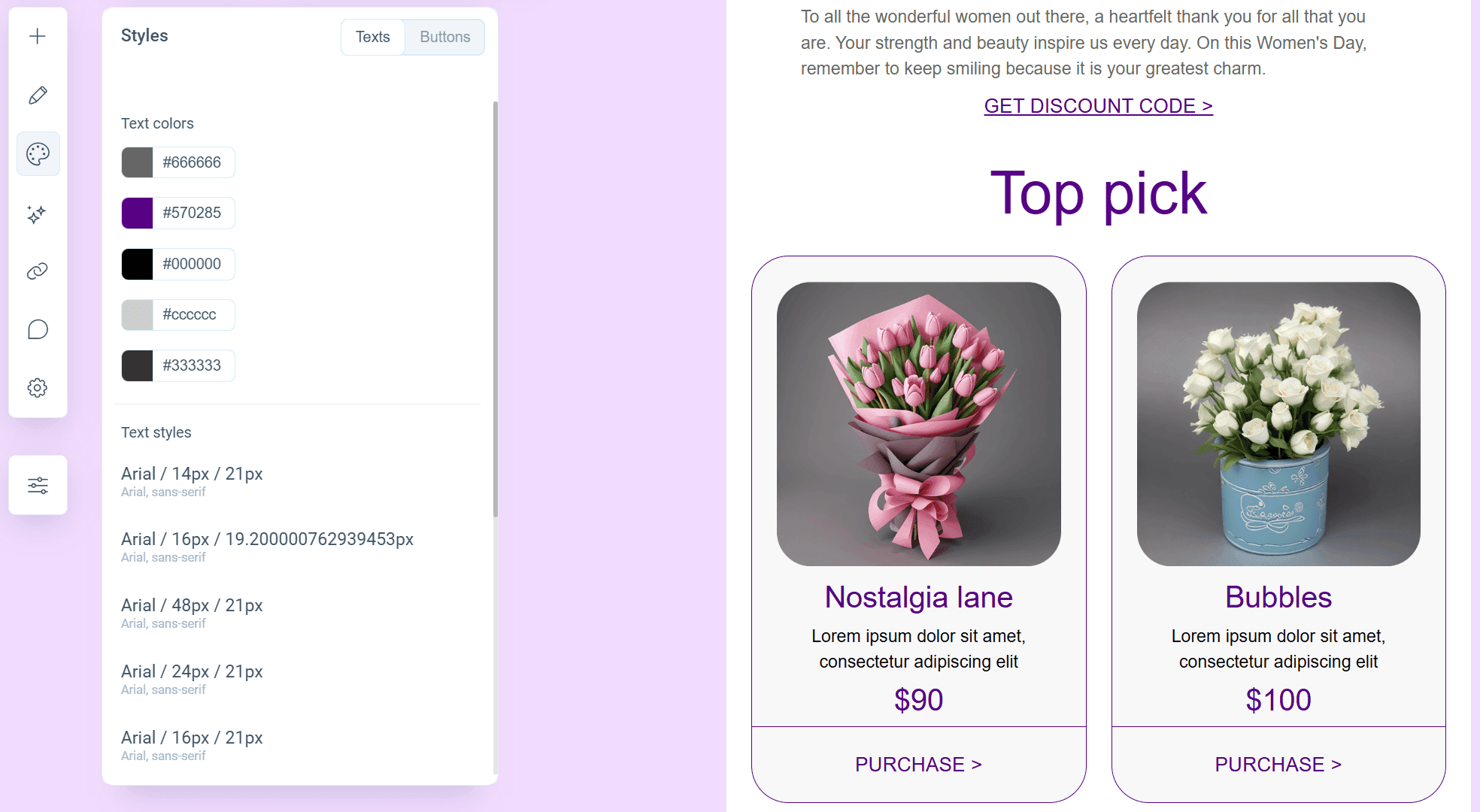
But what if you need to change, for example, the formatting of headings or buttons? This is where the Styles tool becomes useful. It allows you to configure the style of the required text or buttons in bulk (including color, border radius, and other parameters). And, of course, all changes are immediately displayed in the email template.
In the Stripo email builder, bulk editing works differently. The Global Styles and Layout feature allows you to change the appearance of headings, buttons, and stripes, including setting text parameters separately for headers, footers, content, and the info area.
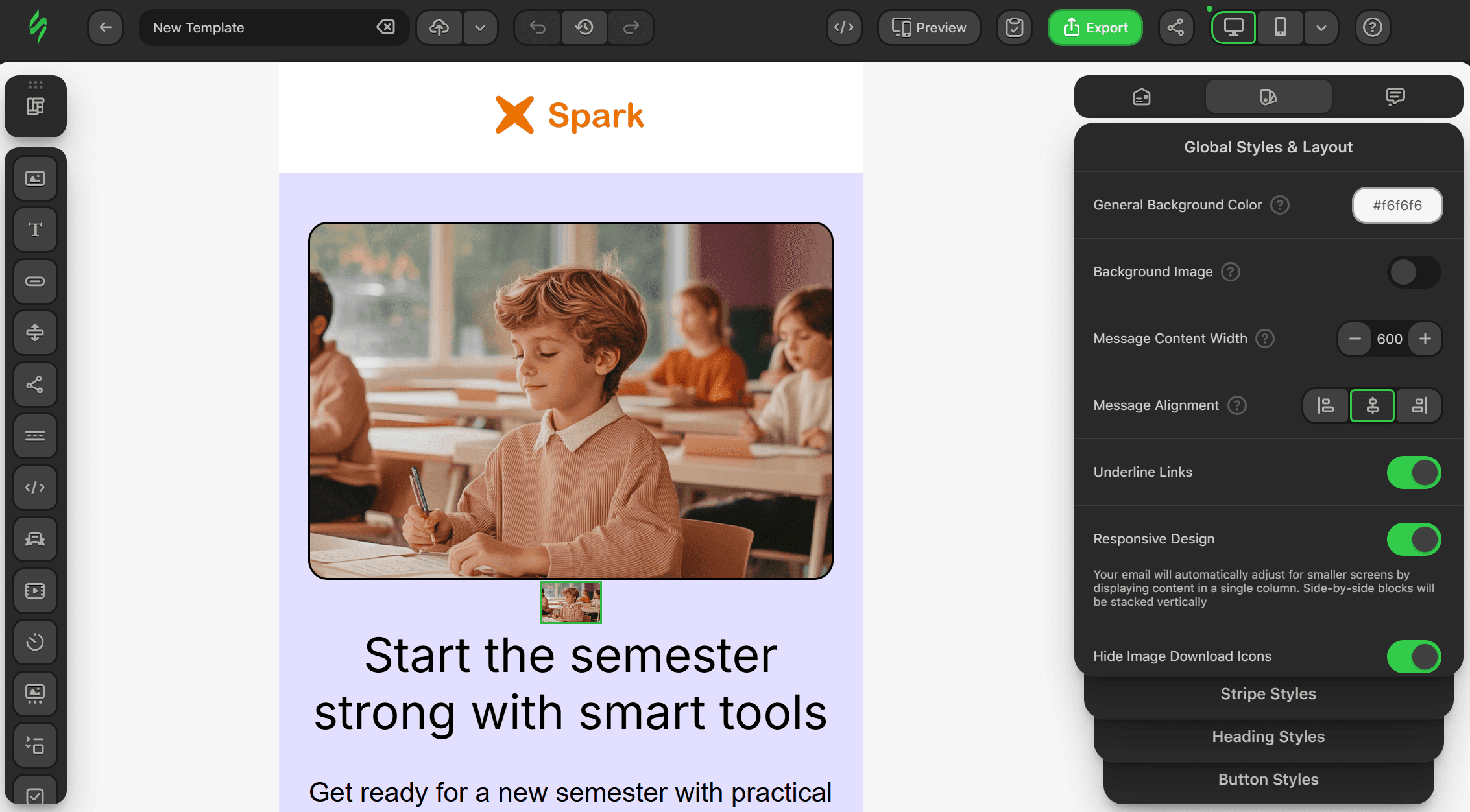
Yet at the same time, Stripo does not offer a dedicated tool for editing links in the email. You will have to go through the entire template manually, selecting each element one by one and making the necessary adjustments.
ESP Integrations
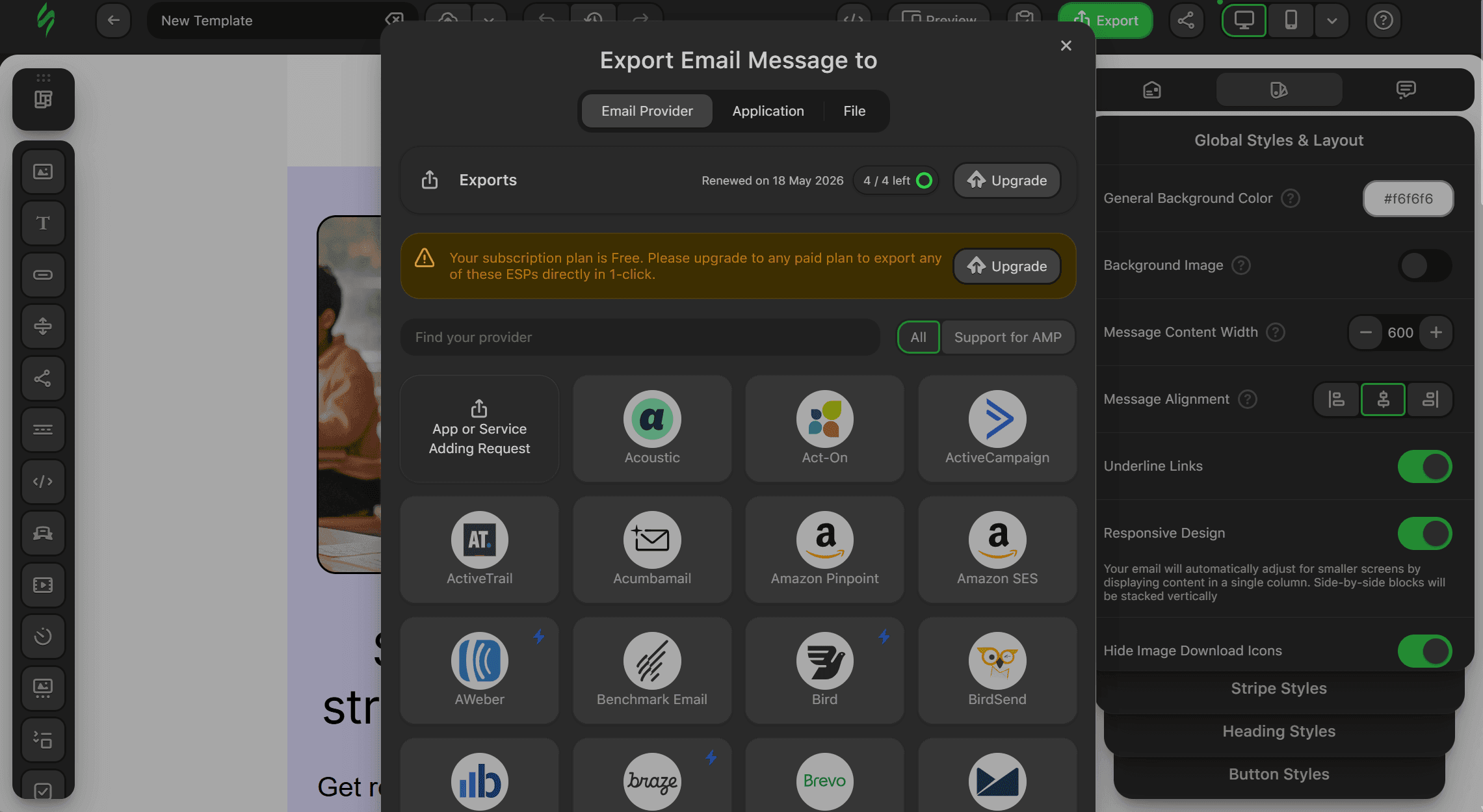
When it comes to integrations, Stripo offers compatibility with dozens of different ESPs: from popular international platforms (such as ActiveCampaign, Mailchimp, Moosend, and Klaviyo) to more niche solutions. If the required platform is not on the list, you can request its addition.
It is worth noting that direct export to ESPs is available only on paid plans.
Pixcraft is also compatible with popular international ESPs, including Mailchimp, Klaviyo, and SendGrid. But for Russian users, the main advantage lies in its integrations with domestic solutions, such as Altcraft, Unisender, SendSay, DashaMail, and others.
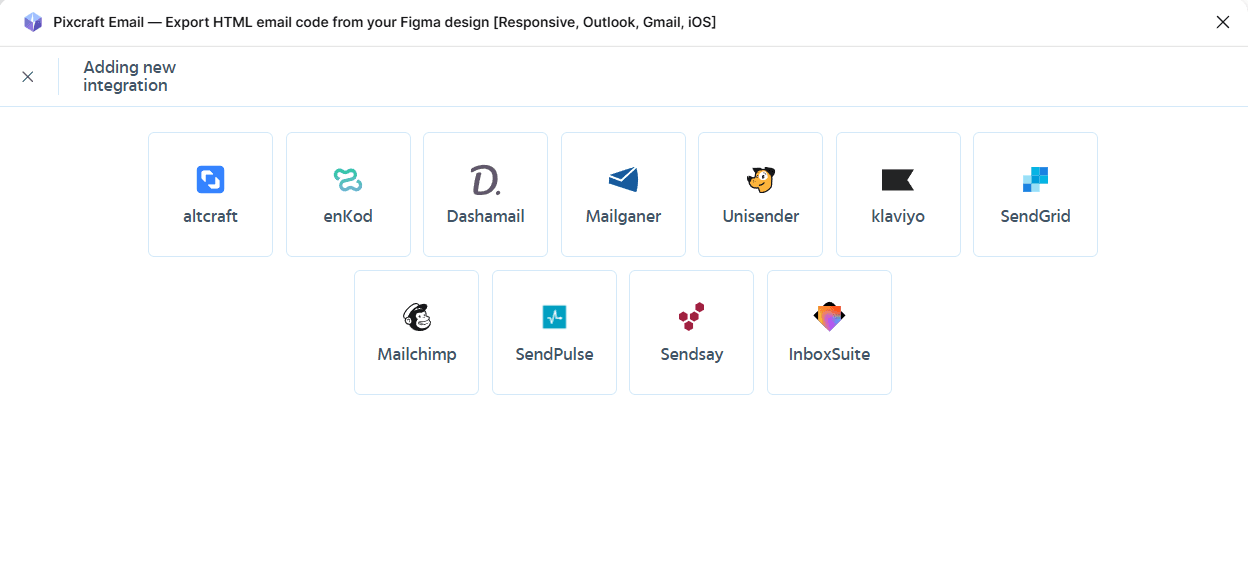
Ready-made integrations with popular Russian services simplify work and make it possible to start sending email campaigns immediately through a suitable platform, without lengthy setup from scratch.
Social Media Logos
It is hard to imagine a modern marketing email without links to a company’s or brand’s resources. That is why sets of social media icons are available in many email builders, including Pixcraft and Stripo.
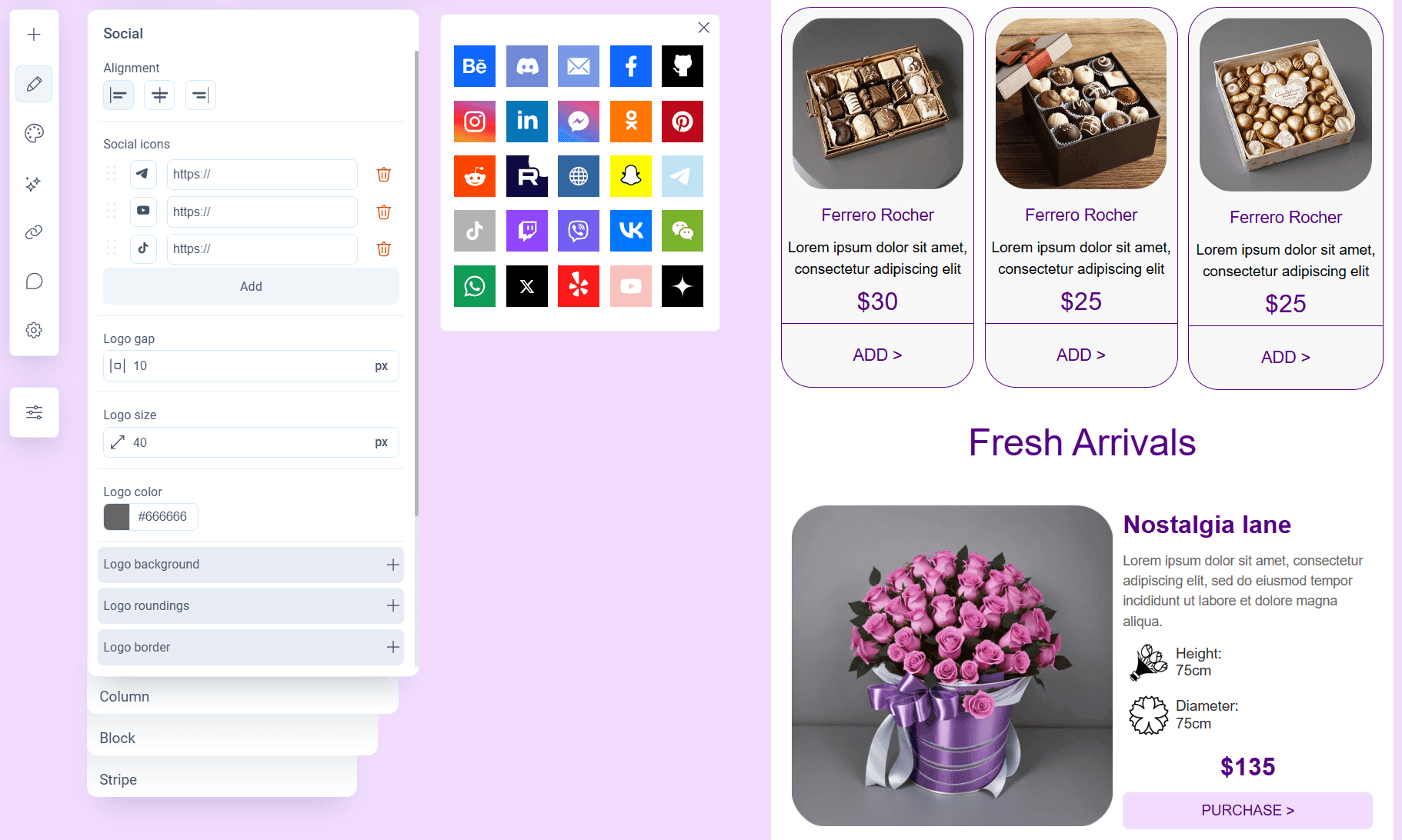
Pixcraft offers not only the library of logos itself, but also tools for their personalization. The icon library features both international and Russian social networks and messengers, including VK, Dzen, and Rutube.
You can change the appearance of logos as required: from the shape and size of the icon to its color (or even the color of the logo inside it). In other words, each icon can be adapted to the unique style of a specific email campaign.
The Stripo email builder also provides an extensive set of icons for social networks, messengers, and other platforms. However, it does not offer options for customizing their appearance.
The selected icon display style is chosen from a dropdown list. Several variations are available: for example, in the original colors of the corresponding platforms, black, gray, white, and so on.
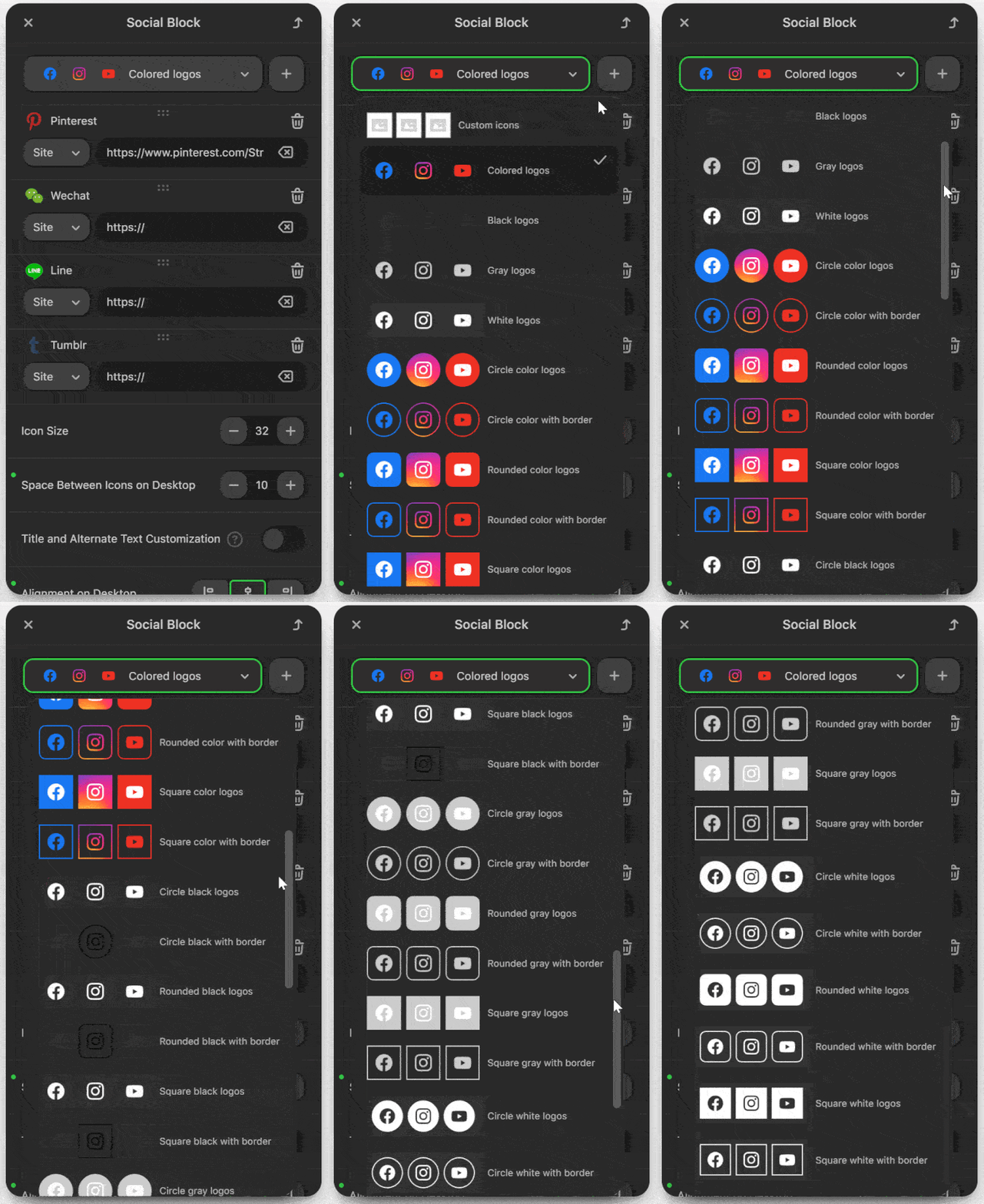
Size, spacing, and other standard parameters can be configured for the icons, but their colors, background, and borders correspond to the selected style. Icons with custom design will have to be created using a third-party editor.
Rendering in Outlook and Yandex Mail
Finally, it is worth mentioning how emails are displayed in Outlook and Yandex Mail.
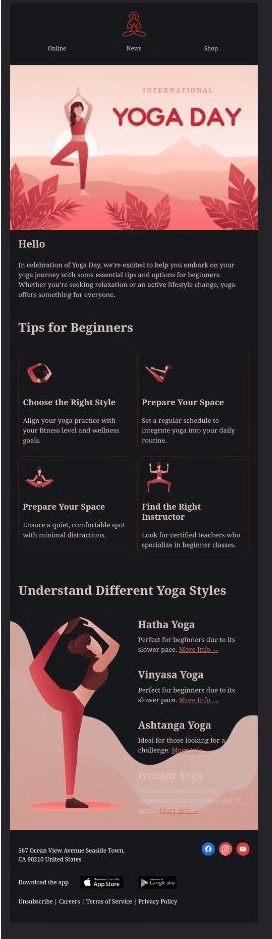
In Outlook, the Stripo template immediately faced several issues. First, on a 120 DPI screen, the display of borders in columns was broken. Second, the graphic element at the bottom of the email lost its background. In addition, extra lines appeared: they can be seen under the App Store and Google Play buttons.
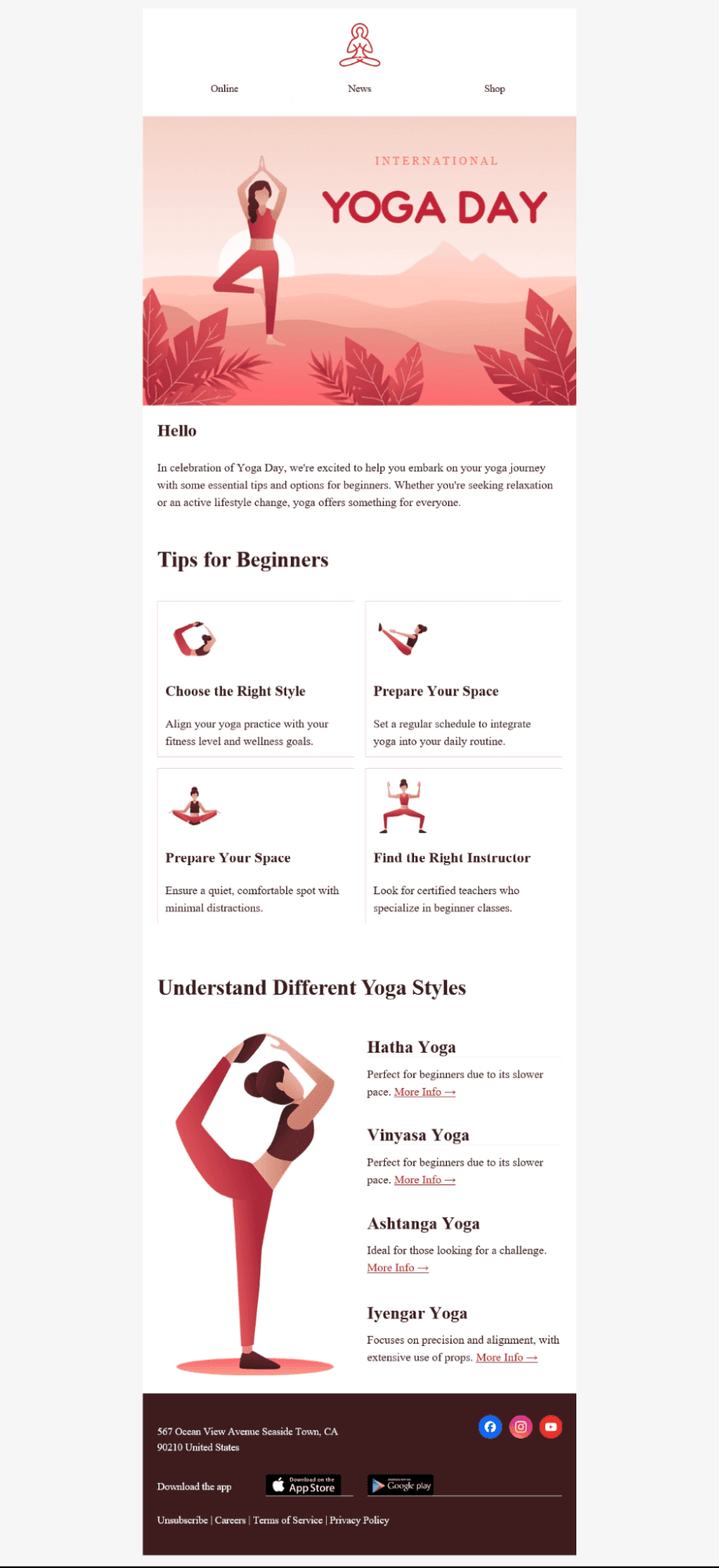
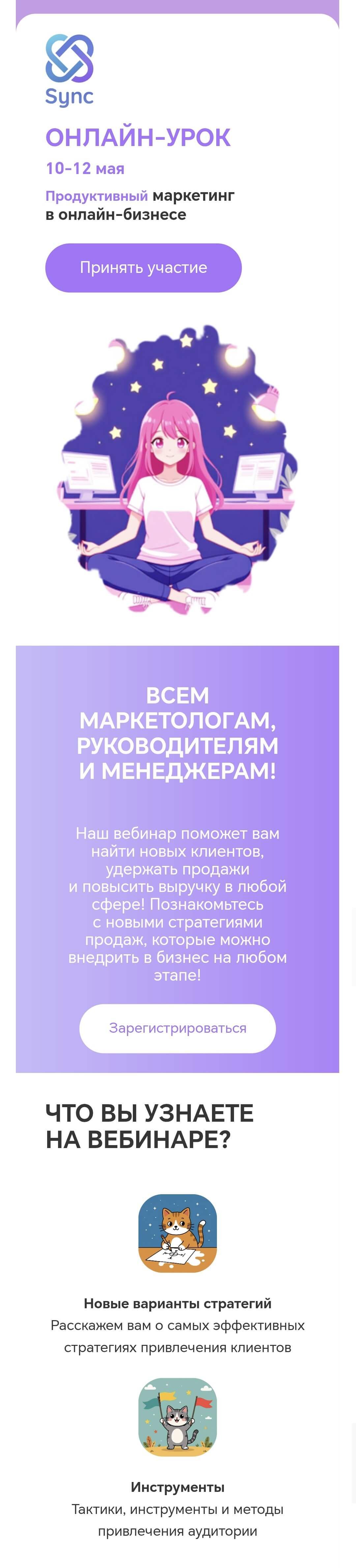
The email is rendered as expected in the desktop Yandex Mail. But in the mobile client, the adaptation did not work: this is especially noticeable in how the columns are displayed.
Pixcraft takes the specifics of Yandex Mail and Outlook into account. Email templates are adapted so that their rendering remains correct even when the email client does not support media queries or some of the CSS properties.
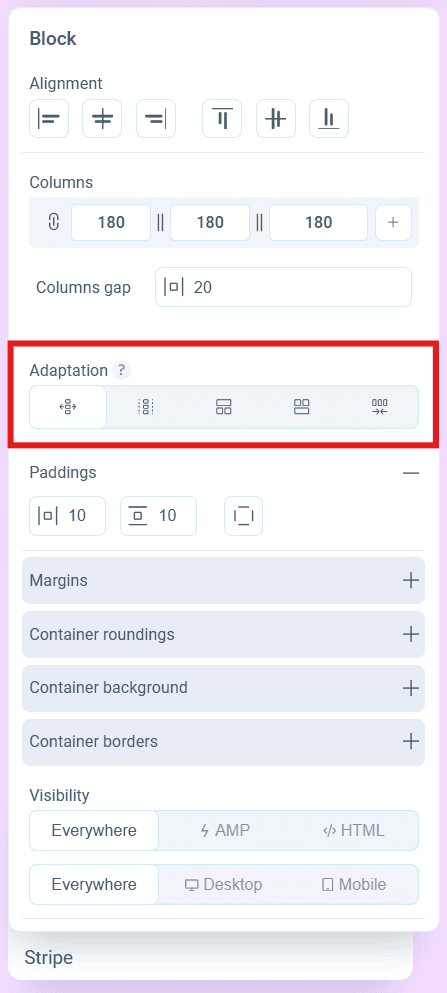
It is also worth mentioning mobile adaptation in the Pixcraft editor. You can directly configure how components are rearranged in the mobile version of the email: one column, two columns per row, or (when the block contains three columns) with one of them displayed in a separate row and the other two placed either above or below it.
Conclusion
Both services have their own strengths:
- Stripo is a mature and well-established builder with broad capabilities for template creation, support for dozens of ESPs, and built-in sending of test emails.
- Pixcraft offers similar flexibility when creating email templates. At the same time, it works more deeply with AMP, includes convenient tools for bulk editing of elements, and, most importantly, the email builder is fully available for Russian users.
Give Pixcraft a try: sign up today to receive a 14-day free trial. And if you have any questions regarding our email builder, contact us by email.
Facebook, Instagram, and WhatsApp are owned by Meta Platforms Inc., recognized as an extremist organization and banned in the Russian Federation.
LinkedIn is blocked in the Russian Federation.
Access to the social network X (formerly Twitter) is restricted in the Russian Federation.