
Pixcraft vs TOPOL: How the Approach to Email Design Differs Between Email Builders
Choosing an email builder isn’t always an easy or straightforward task. Various tools may differ not only in obvious features but also in less noticeable — yet very important — details. Even subtle nuances may significantly affect how well a particular solution fits specific tasks.
Previously, we compared our email builder with Beefree and Letteros. In this article, let’s take a closer look at how Pixcraft compares with TOPOL, focusing on the main differences between the two solutions.
Basic Structure of Email Templates
In Pixcraft, email templates are created using either Primitives or ready-made Assets. Primitives are individual elements such as text, images, or interactive components. Assets are pre-assembled functional blocks (headers, footers, product cards, etc.) made up of several Primitives.
Regardless of whether you build an email from scratch, assemble it from Assets, or use a template from the gallery, flexibility remains the same. Any part of the email can be reworked for the current task: elements can be added or removed, their parameters adjusted, the number of columns changed, and much more.
You can edit blocks, columns, and each element within them. For example, if you need to change the properties of a column, simply select it and set the required values without the need to configure each element separately.
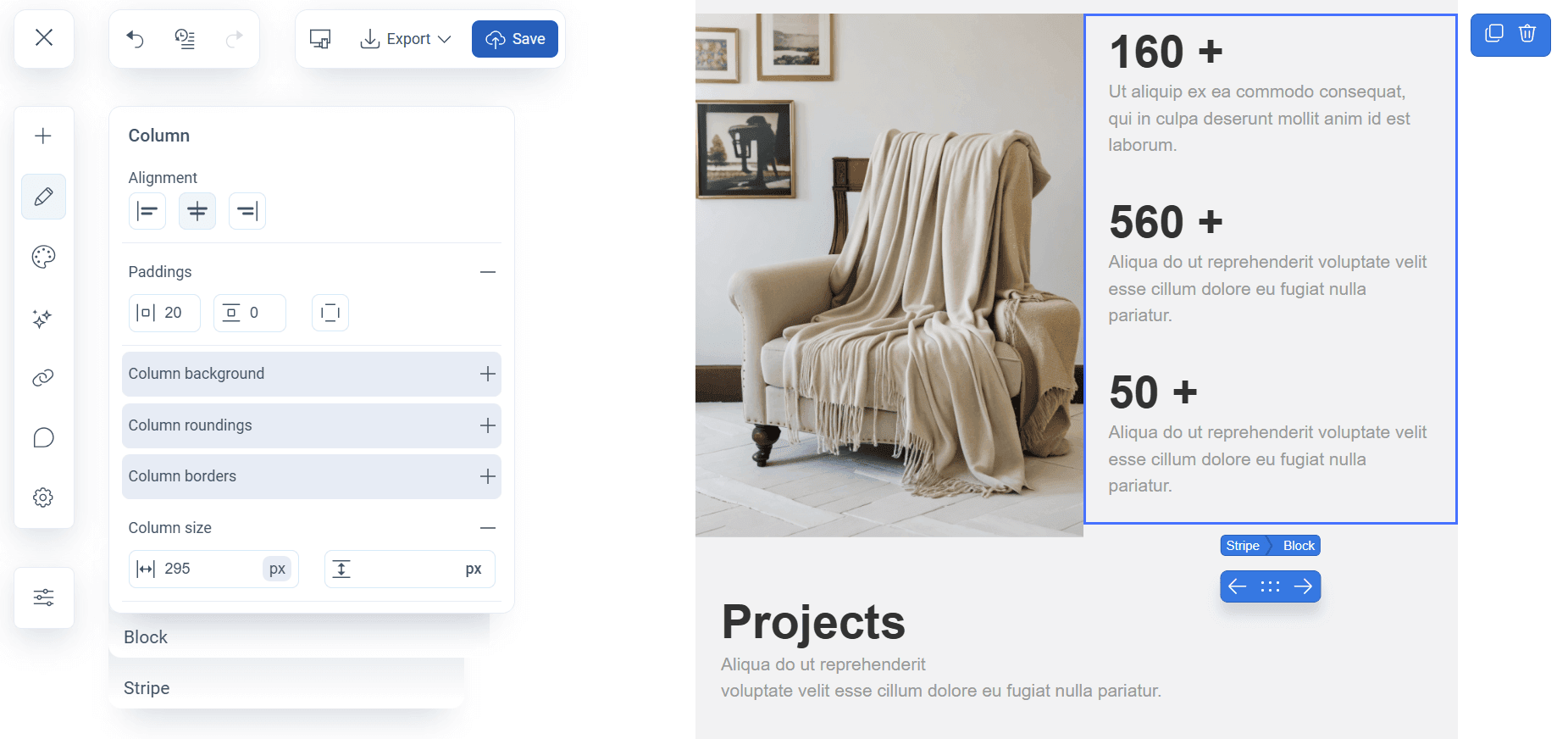
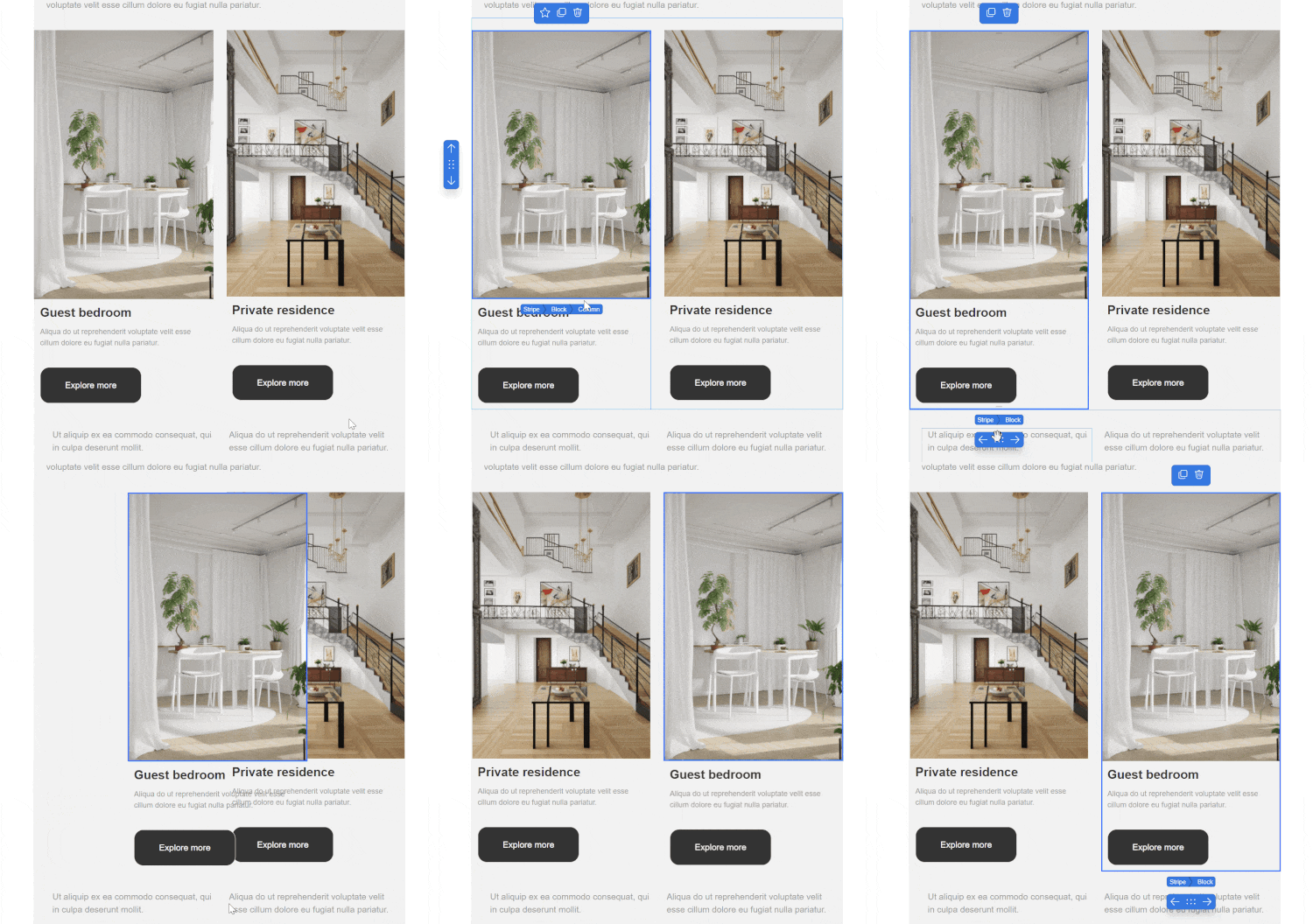
Both individual elements and entire stripes (horizontal sections that contain columns and elements) can be moved freely across the canvas. Columns within a single block can also be easily rearranged via drag-and-drop without dismantling and rebuilding them from scratch.
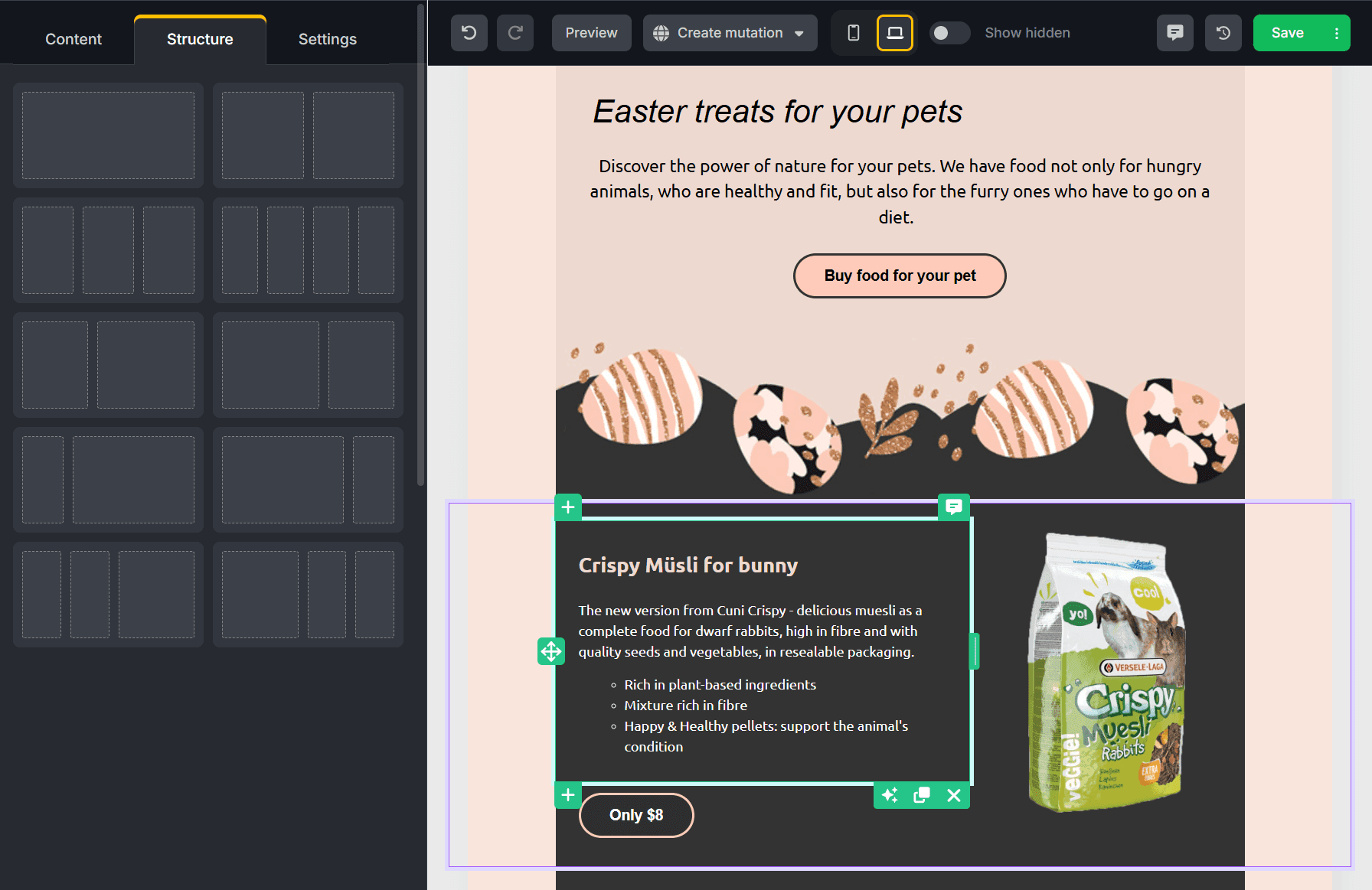
In TOPOL, the logic of email templates is based on Structures, each representing a separate row. Inside a Structure, Content elements are placed: these can be moved to different parts of the template and configured as required.
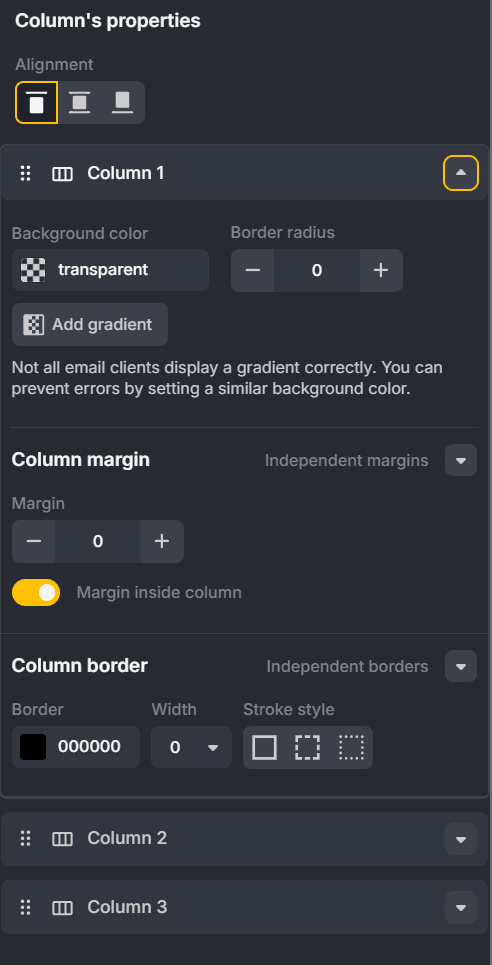
Reordering columns is also possible, though here, this is done through the settings of the selected structure and not directly on the canvas itself. The Column’s properties option allows you to change column order within a row, as well as set alignment, border radius, background color, and other parameters.
Mobile Responsiveness and Email Preview
Pixcraft provides tools for configuring mobile responsiveness directly in the editor. For example, you may choose how columns behave on mobile devices:
- a single column, either stretched to full width or without stretching;
- a single row with reduced width;
- for three columns — 1+2 (one column on a separate row with two below it) or 2+1 (two columns on the top row with the third below at full width);
- for four columns — 2+2 (two columns per row).
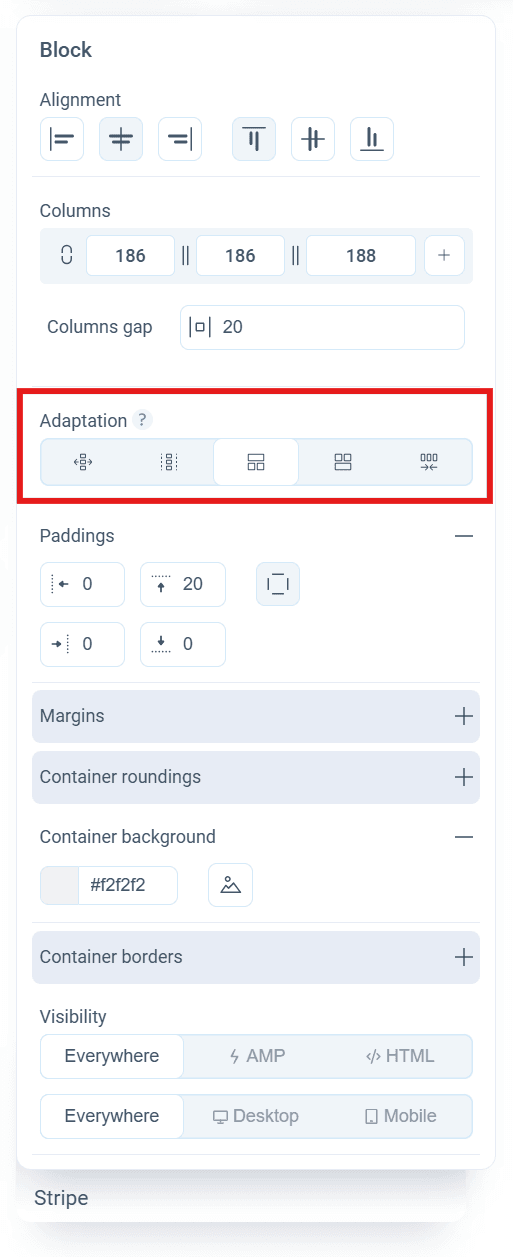
For email clients that do not support media queries, either block restructuring without stretching or simple width reduction without restructuring is used.
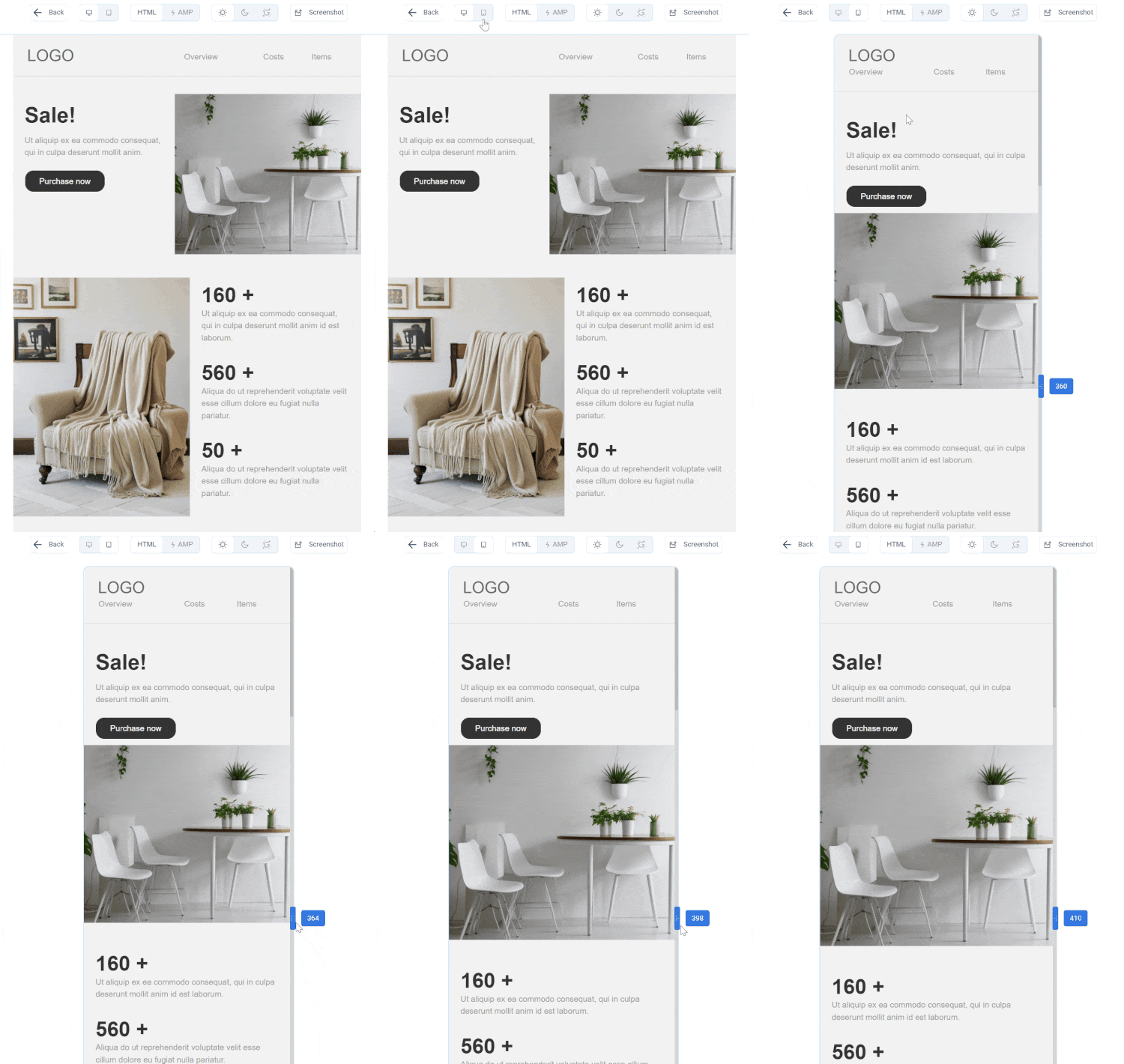
The preview mode allows for viewing both desktop and mobile versions of the email. You can check the template with AMP components enabled or disabled, as well as in light and dark modes. This is especially important for emails with rich graphics, colored backgrounds, and accent elements.
The mobile preview width can be adjusted down to the pixel, making it easier to check layout accuracy and readability on different screen sizes. By clicking the Screenshot button, you can save the template image in PNG format, which may come in handy for internal reviews or approvals.
In TOPOL, preview is available directly within the editor and as a separate mode with the option to send a test email. Just like the desktop version of the template, the mobile version can be edited manually. It’s important to note that changes made in one version are synchronously applied to the other.
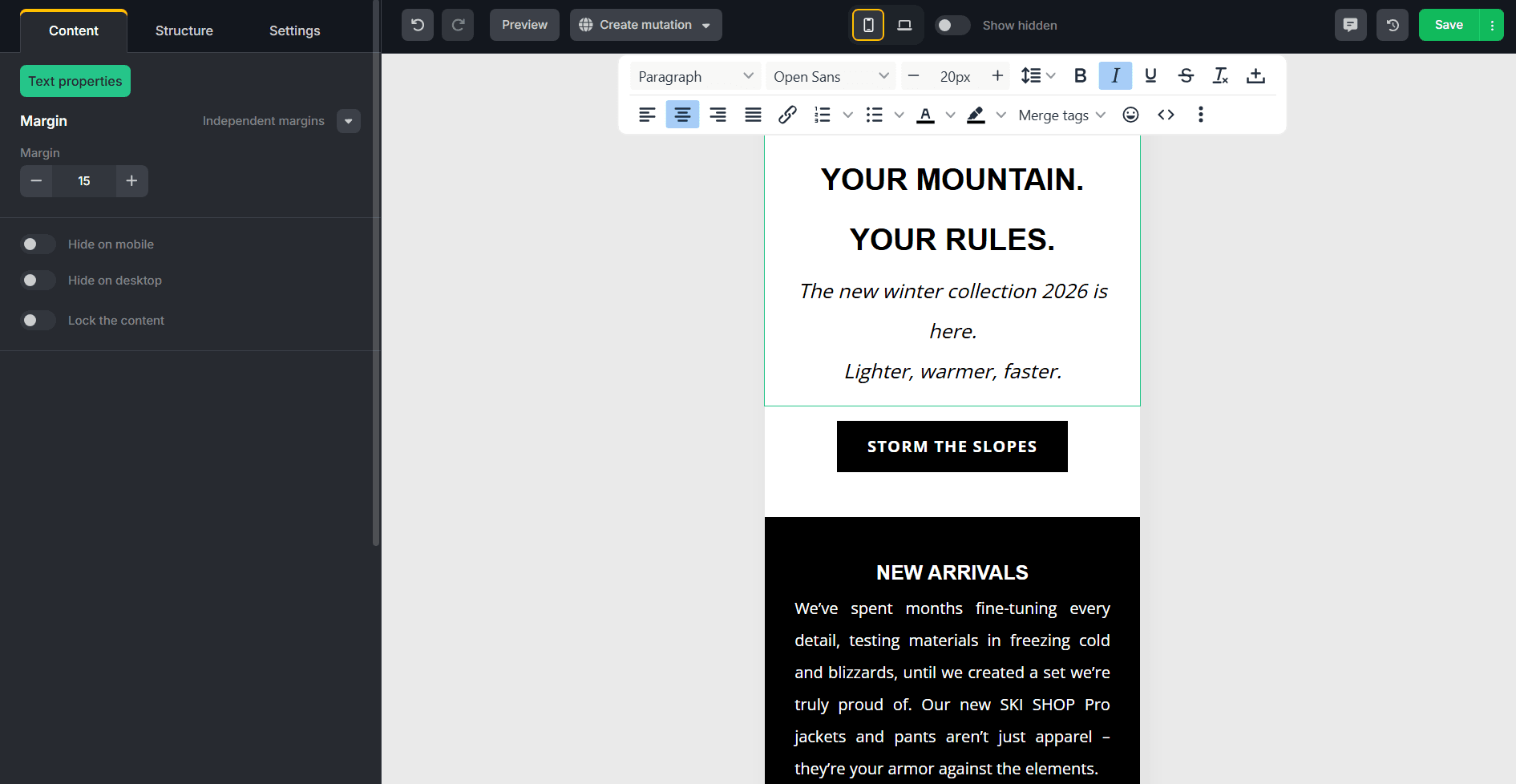
TOPOL supports two column display scenarios for a mobile: stacking or compressing. Additionally, the Fluid on mobile option in image settings controls scaling to screen width. Yet aside from that, no other options for adapting multi-column blocks for mobile are available.
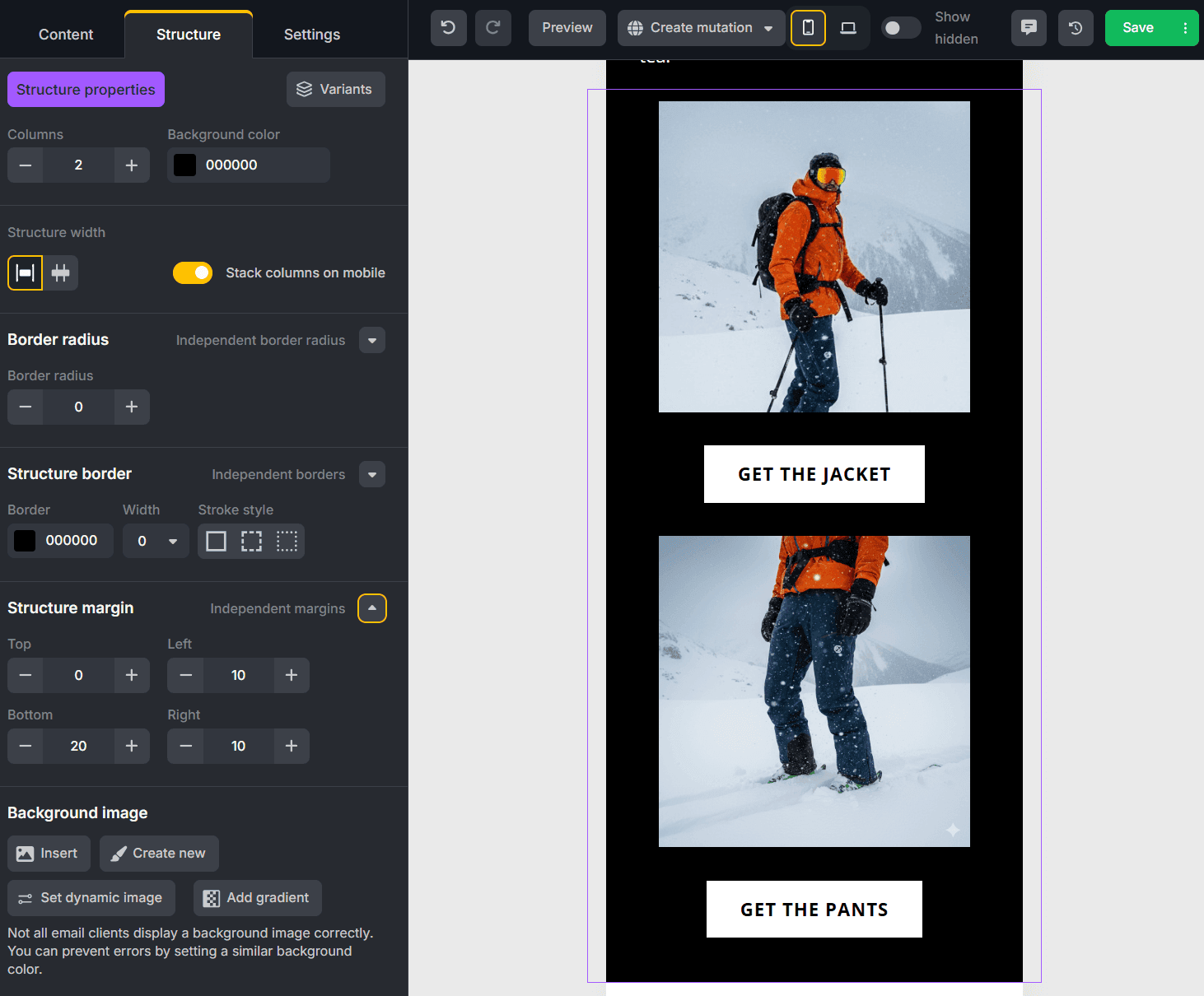
Both mobile and desktop previews are limited to a single fixed resolution, which cannot be changed. Dark mode preview is also not available, therefore correct rendering has to be checked using third-party services.
AMP Capabilities
AMP components are included in the Pixcraft email builder alongside standard email elements. Among these is an AMP carousel that can contain up to 10 images. It offers two formats — a classic carousel and a slider — as well as looping and autoplay options.
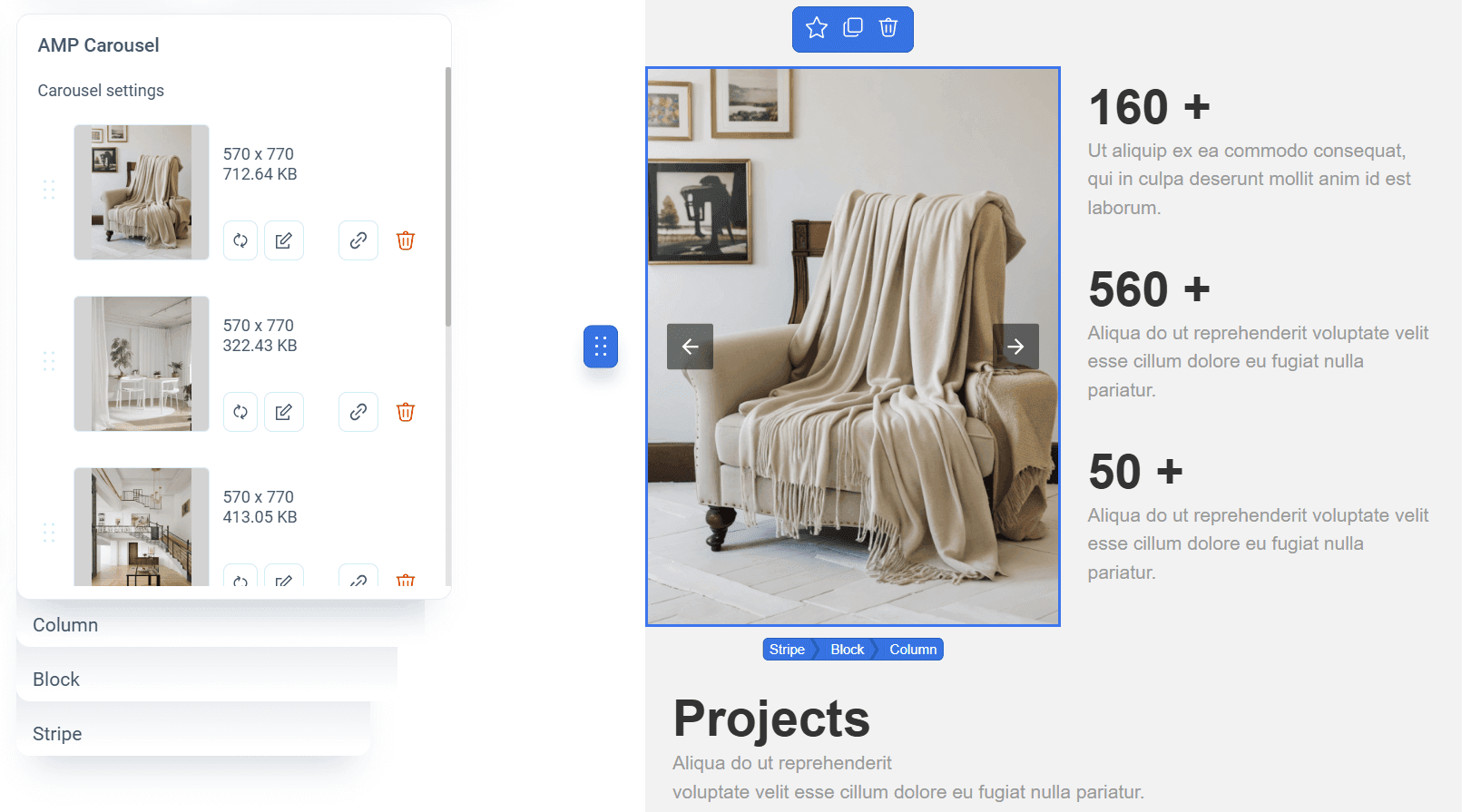
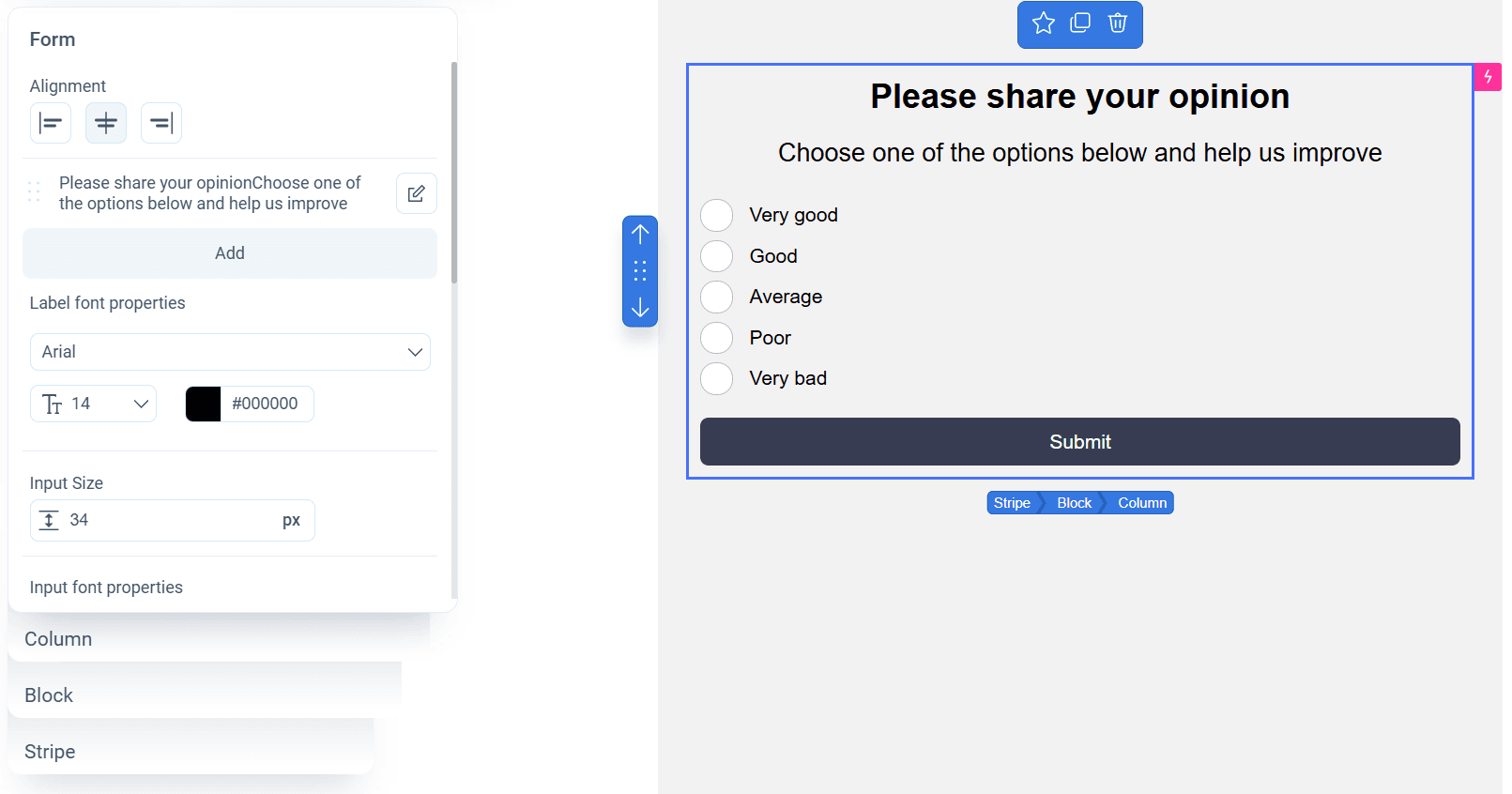
In addition to the image carousel, Pixcraft also includes AMP forms with flexible configuration options, from field types (text input, single or multiple choice) to visual presentation. Both the AMP forms and the AMP carousel are available as Primitives directly in the email builder interface.
Users can also create additional components that extend email campaign functionality. These include AMP-forward-link for confirming actions without leaving the email, and an Interactive Stream that allows recipients to leave comments directly inside the email.
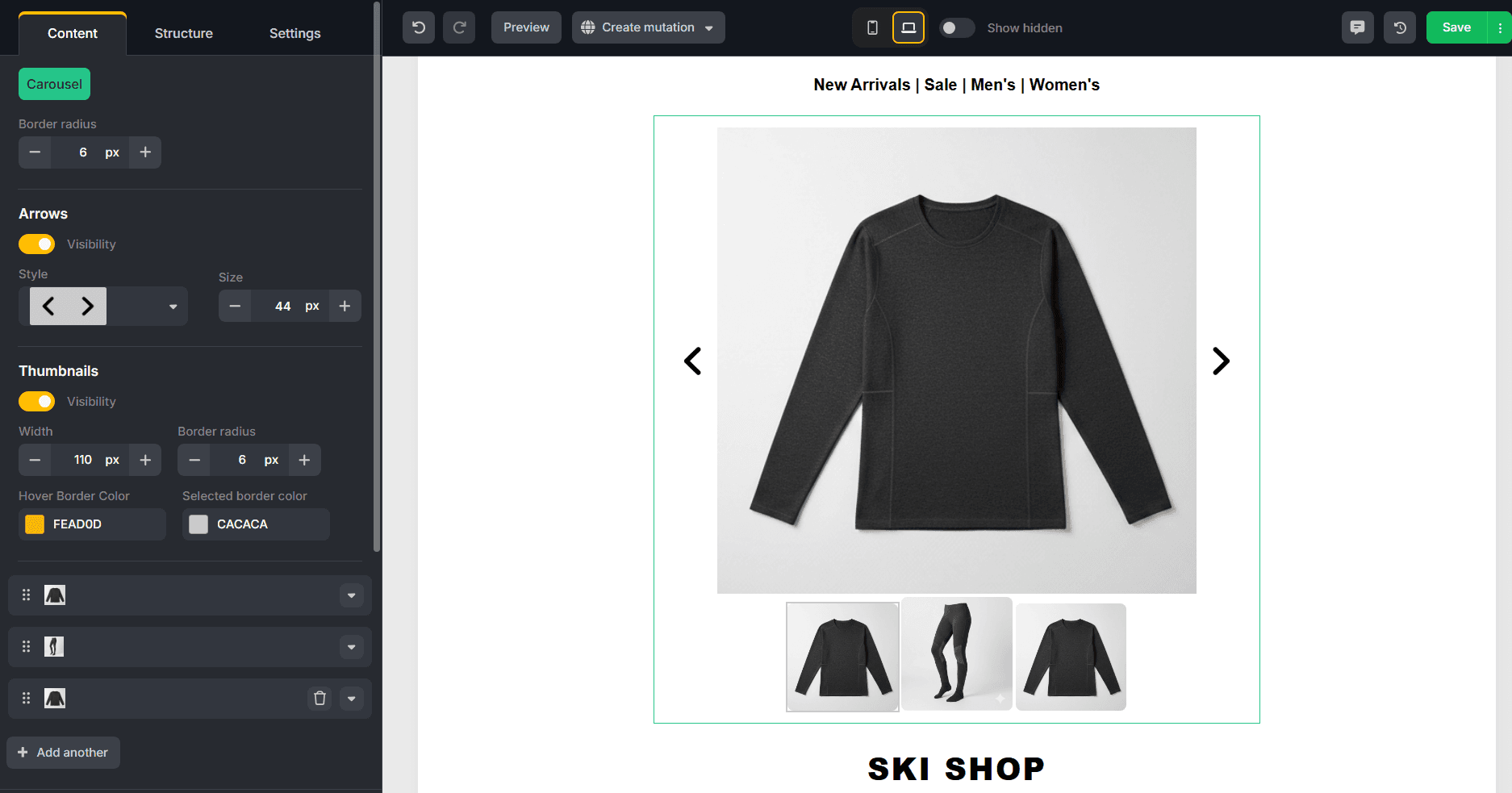
At the time of publication, TOPOL offers only a beta version of a carousel with support for up to five images. Settings include navigation arrows, image gallery options, border radius, and other parameters; autoplay and looping are not available. TOPOL does not currently provide information on whether additional AMP components are planned for implementation in the future.
Comments in Templates
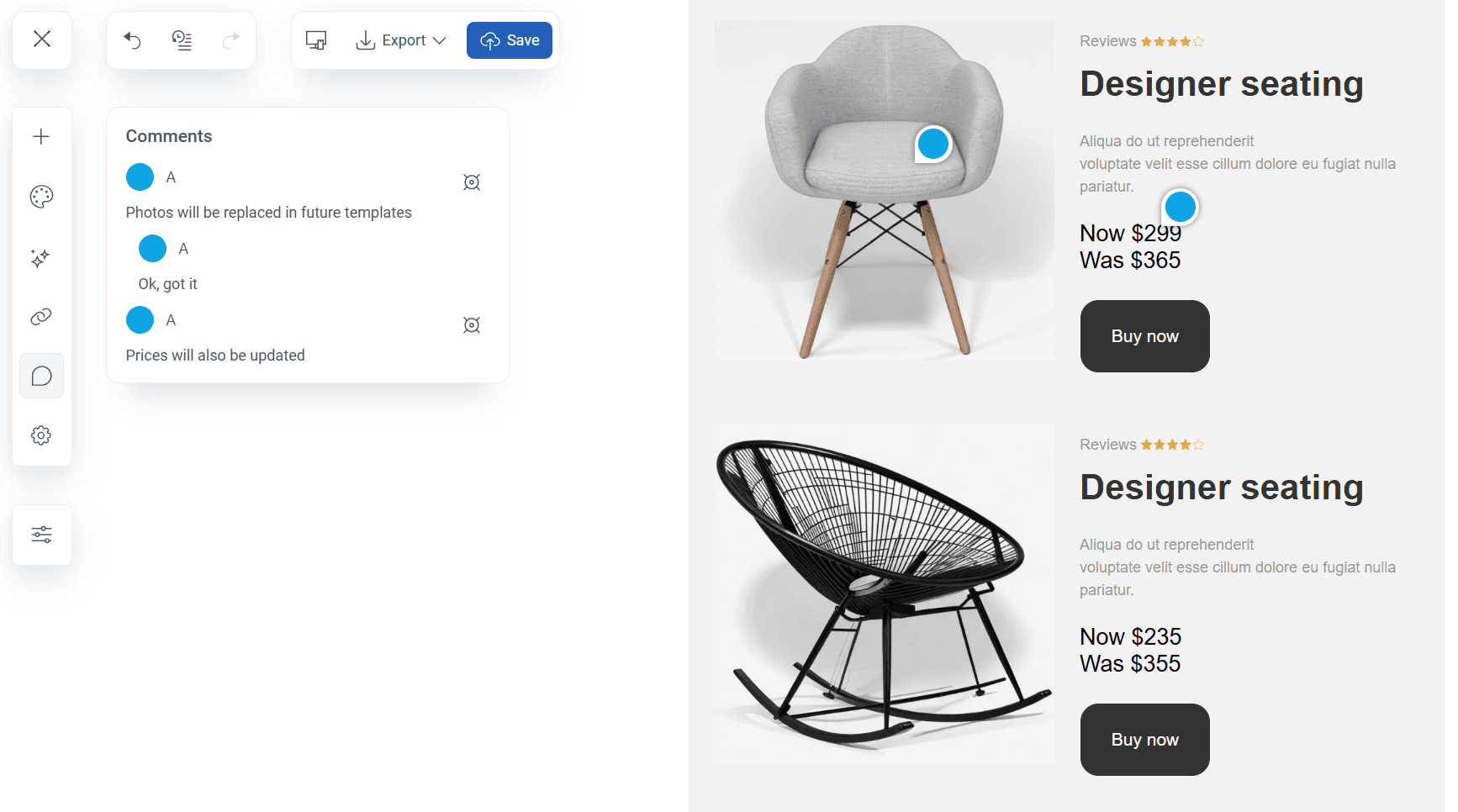
Pixcraft users can leave comments exactly where it makes most sense within the email. For example, a comment can be placed directly on a specific phrase in the text or on a particular part of an image that requires attention.
The Comments tab in the left-side panel contains a complete list of all comments in the template along with replies. Searching for a specific comment in the layout is simple: click the target icon to immediately find the relevant spot.
TOPOL takes a different approach. Here, comments are attached to a certain element without the option to specify an exact position. In order to leave a comment, users need to select an element, click the Comment icon, and enter the text in the panel on the right.
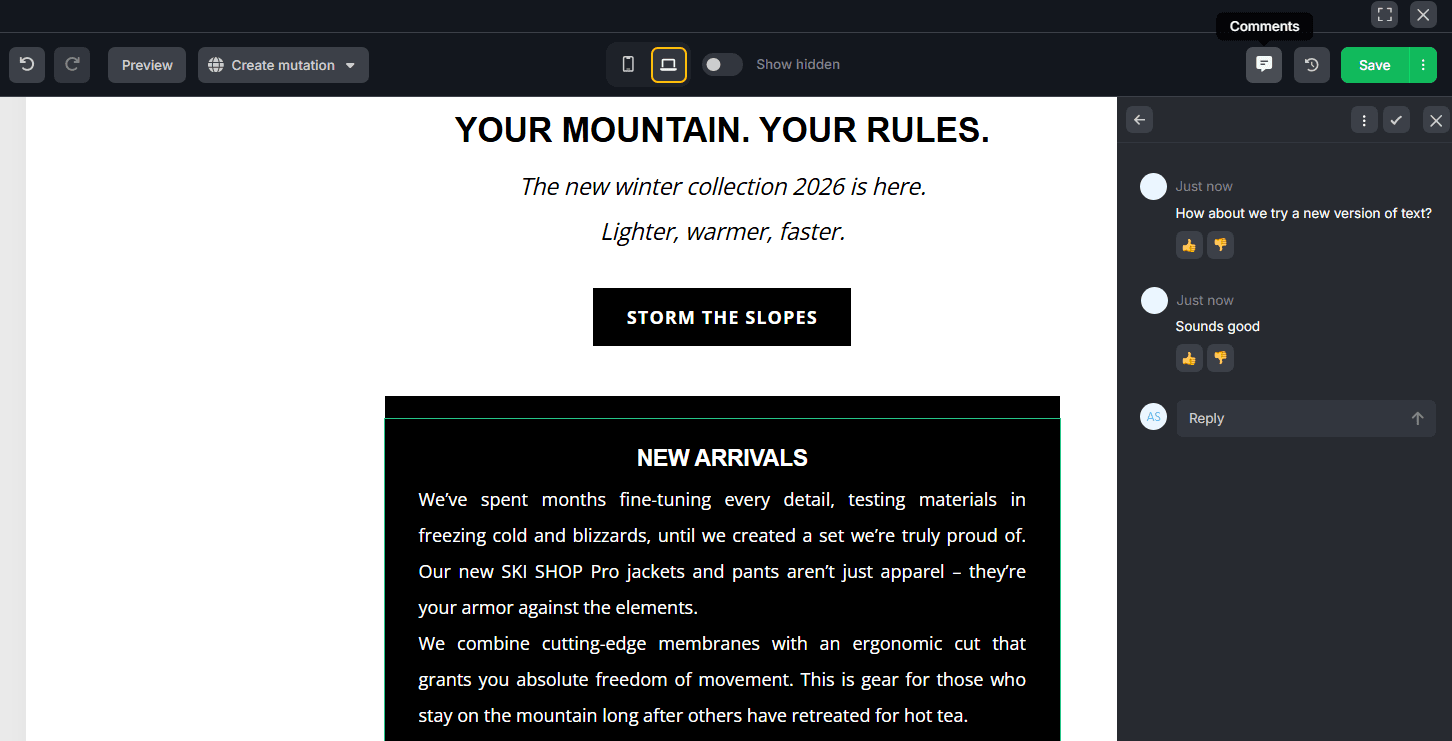
Visually, the editor doesn’t indicate which elements contain comments. To view their list, you need to use the Comments function in the top-right corner: it displays every comment in the template and, when you hover over them, highlights the associated elements.
Email Export
Pixcraft provides several options to export a template: HTML (including the AMP version), EML, ZIP archive, or exporting the template directly to an email service provider. TOPOL supports HTML export, ZIP archive, saving a template in JSON format, or copying the code.
When it comes to built-in integrations with ESPs, by default, Pixcraft supports 11 platforms, while TOPOL supports 27. Both builders are compatible with popular international services such as Mailchimp, Klaviyo, and SendGrid. At the same time, Pixcraft also supports platforms such as Altcraft, Unisender, and Sendsay that are widely used in Russia and CIS countries.
Links and Social Media
Both services provide convenient methods for basic work with links within the email. Differences become more noticeable when a single template contains numerous links spread across various blocks and elements.
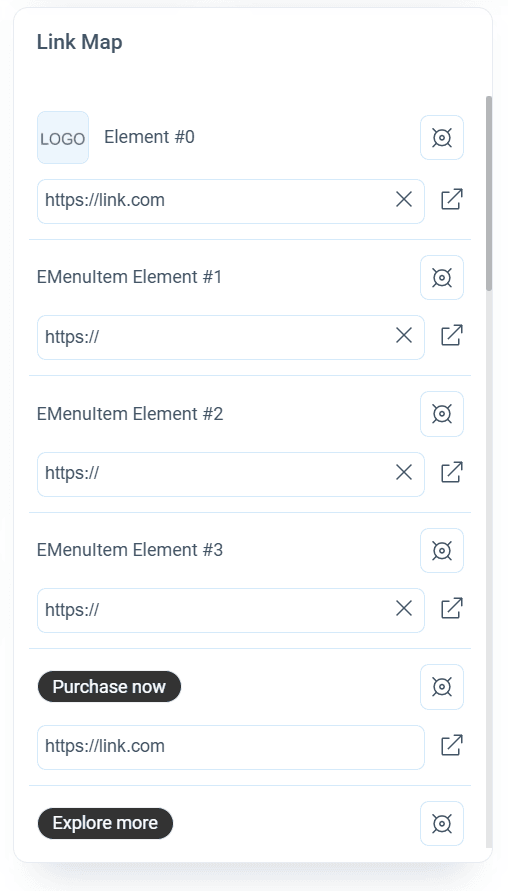
In TOPOL, it’s not possible to view all links in an email at once. In order to check or edit them, you have to locate each link directly in the template one by one.
Pixcraft, on the other hand, includes a Link Map tool that displays all links in a single list. This simplifies verification of emails with a large number of URLs in text, buttons, and banners. Links can be edited directly in the interface and quickly located on the canvas.
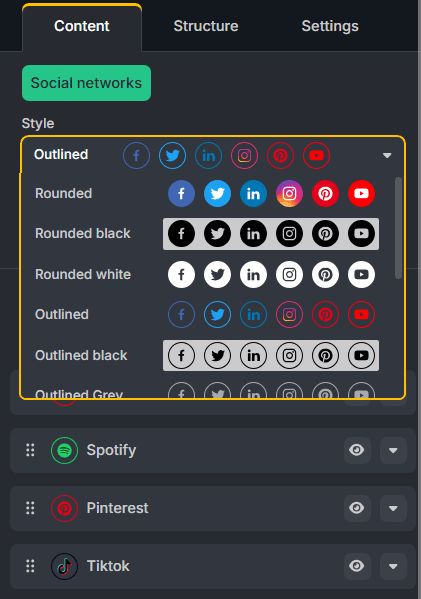
Social media icons are also handled differently in both email editors. TOPOL includes a set of predefined icon styles, but if you require a custom icon, it has to be created and added manually. Built-in settings are limited to basic parameters such as size, alignment, and spacing.
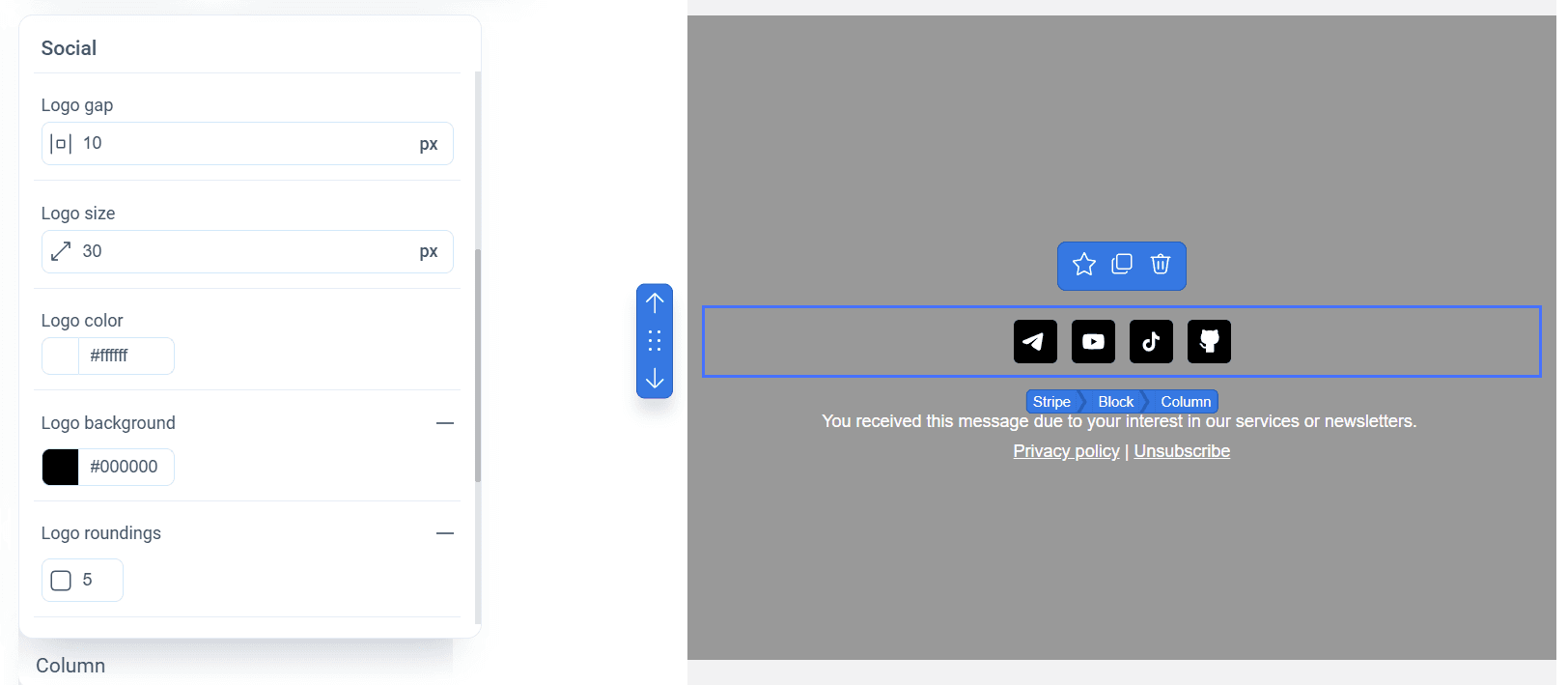
In contrast, Pixcraft allows for customization of social media icons directly in the interface. Settings include icon and logo colors, border radius, outlines, and other design details.
Rendering in Outlook and Yandex Mail
In TOPOL, mobile responsiveness relies on media queries, which may cause rendering issues in some email clients. For example, in the Yandex Mail mobile app, an email gets compressed, as seen in the screenshot below. Similar behavior may occur in the mobile web version of Gmail, where media queries are also not supported.
The first slide below shows how the email appears in Yandex Mail mobile app, and the second slide shows a screenshot from the tool's preview, demonstrating how the email is intended to adapt.
The desktop version of Outlook shows better results: the overall structure and block positioning remain intact. The only noticeable visual difference is the absence of rounded corners on buttons.
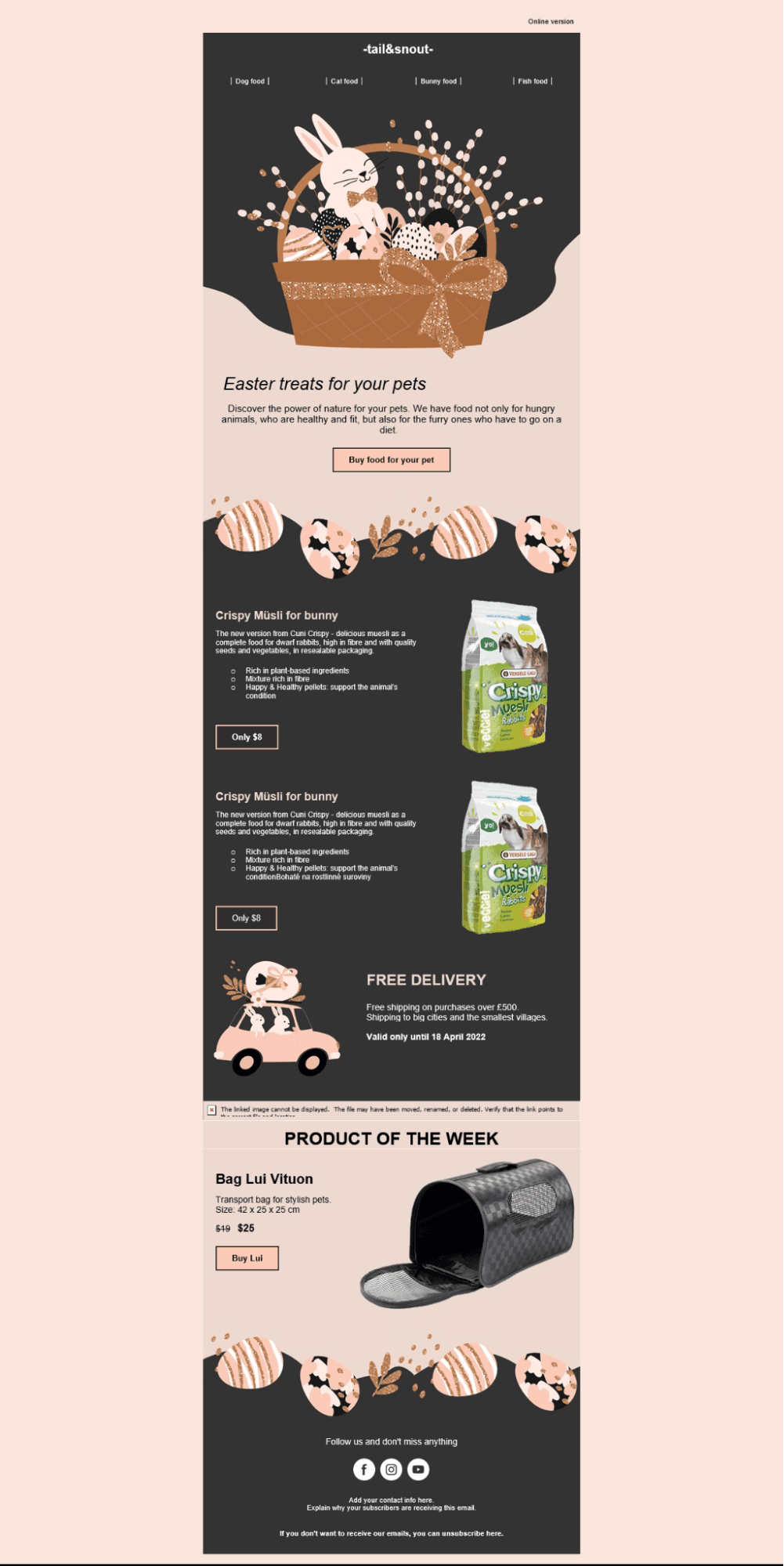
When it comes to template rendering, Pixcraft takes into account the nuances of different email clients to the maximum extent. As a result, templates maintain correct appearance even in environments that do not support media queries or certain CSS properties. The slides below show how an email created in Pixcraft is rendered in Yandex Mail mobile app and the desktop version of Outlook.
Conclusion
Both Pixcraft and TOPOL email builders offer robust functionality for creating effective templates, but differ in details and overall approach to working with emails. These differences may become fundamental for choosing the tool that best matches your requirements and expectations.
One of the most reliable ways to make the right choice is to try a builder first-hand. Create a Pixcraft account today and get 14 days of free access to explore its capabilities. And if you want to learn more, feel free to contact us and discuss any related details and questions.
Facebook and Instagram are owned by Meta Platforms Inc., recognized as an extremist organization and banned in the Russian Federation.
LinkedIn is blocked in the Russian Federation.
Access to the social network X (formerly Twitter) is restricted in the Russian Federation.